Snowy Bench Couple in Red Jacket and White Saree
About this prompt
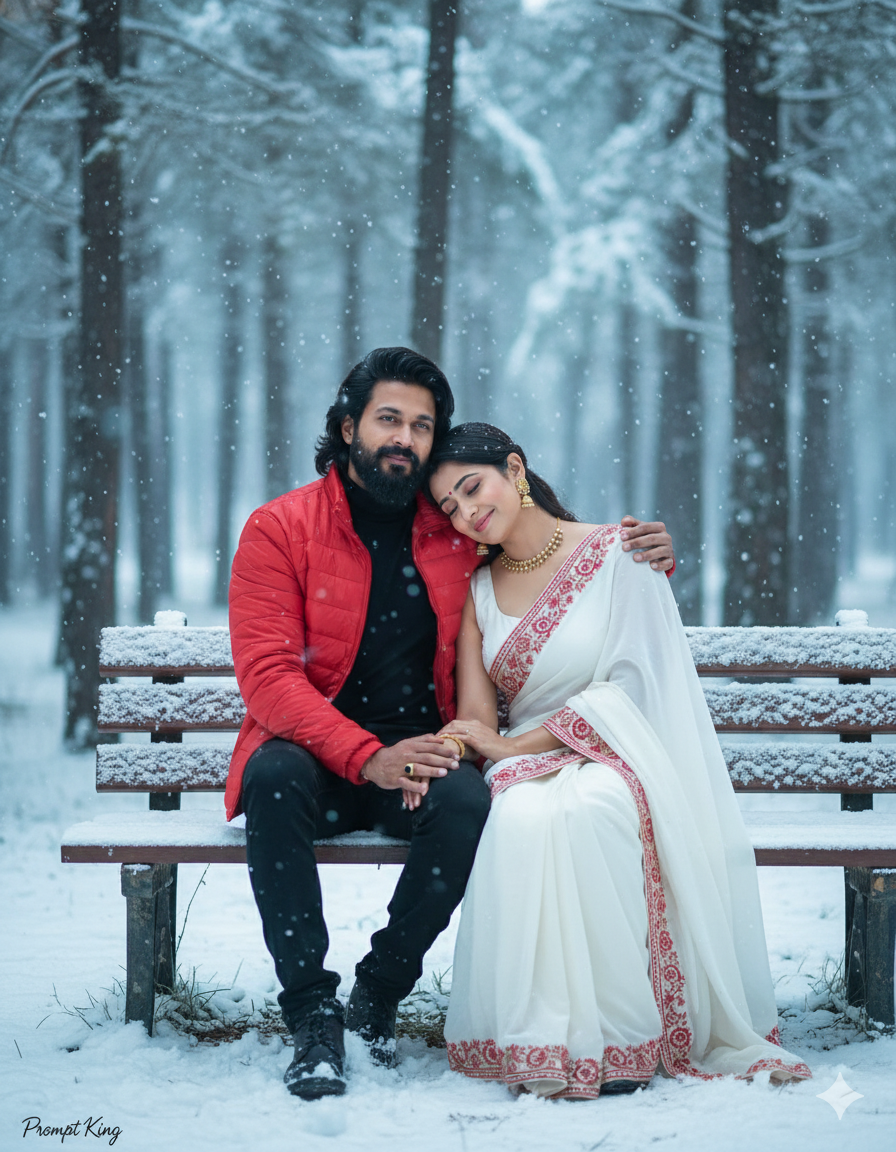
This prompt creates a romantic, cinematic shot of a young couple sitting close together on a wooden park bench in a snowy forest. The man wears a bright red jacket over a black shirt, and the woman leans her head on his shoulder, wearing a white saree with red embroidered borders. Snow falls gently around them, and tall pine trees stand in the soft-focus background. The prompt calls for a prime lens look with soft natural light and a shallow depth of field, shown as a full-body shot so the outfits and bench are visible. Faces are matched to the uploaded photos. The red and white colour pairing ties the couple together visually and stands out beautifully against the snow. This style suits anniversaries, Valentine's Day, pre-wedding or honeymoon-themed posts, couple profile pictures and greeting cards. The blend of an Indian saree with a winter forest setting gives the image a filmy, romantic feel often seen in song sequences.
Lighting, colour and composition
Soft, natural winter daylight with gentle highlights on falling snow. The palette is bright red, white, black and pine green. A full-body composition centres the couple on the bench, with pines softly blurred behind and falling snow in both foreground and background for depth.
Ways to make it your own
- Swap the white saree for a red or maroon one for a bolder couple palette.
- Add a shared shawl or blanket across their laps for extra warmth and closeness.
- Use a 3:2 landscape frame to show more of the snowy forest.
Best for
Couple photo ideas and creative portrait inspiration.
Suggested framing
Use 9:16 portrait framing as described in the prompt, or adapt to 4:5 for feed posts.
Customization ideas
Adjust the clothing, background, lighting, colors and composition to match your own idea.
How to use
Copy the prompt, adapt it to your idea, and paste it into your preferred compatible AI tool. Follow that tool’s instructions for reference photos.
A few helpful answers.
What type of image does this prompt create?
In a compatible AI tool, this prompt is intended as a starting point for this prompt creates a romantic, cinematic shot of a young couple sitting close together on a wooden park bench in a snowy forest. The man wears a bright red jacket over a black shirt, and the woman leans her head on his shoulder, wearing a white saree with red embroidered borders. Snow falls gently around them, and tall pine trees stand in the soft-focus background. The prompt calls for a prime lens look with soft natural light and a shallow depth of field, shown as a full-body shot so the outfits and bench are visible. Faces are matched to the uploaded photos. The red and white colour pairing ties the couple together visually and stands out beautifully against the snow. This style suits anniversaries, Valentine's Day, pre-wedding or honeymoon-themed posts, couple profile pictures and greeting cards. The blend of an Indian saree with a winter forest setting gives the image a filmy, romantic feel often seen in song sequences. Results depend on the tool, settings and references you use.
Can I customize the clothing or background?
Yes. Replace the clothing, setting or colors in the prompt with your own choices. Keep descriptions consistent and adjust one detail at a time.
What aspect ratio works best?
Start with Use 9:16 portrait framing as described in the prompt, or adapt to 4:5 for feed posts.. A 4:5 ratio works well for a portrait feed post. Adjust the crop for your intended platform and your tool’s available settings.
Does Prompt King generate the image?
No. Prompt King helps users discover and copy prompts that can be used with compatible AI tools.
Can I use this for social media ideas?
Yes. Use it as creative inspiration and customize the result for your audience. Use photos you have permission to upload, and check your chosen tool’s terms before publishing.