Kneeling Couple Portrait With Bare Trees and Pastel Sky
About this prompt
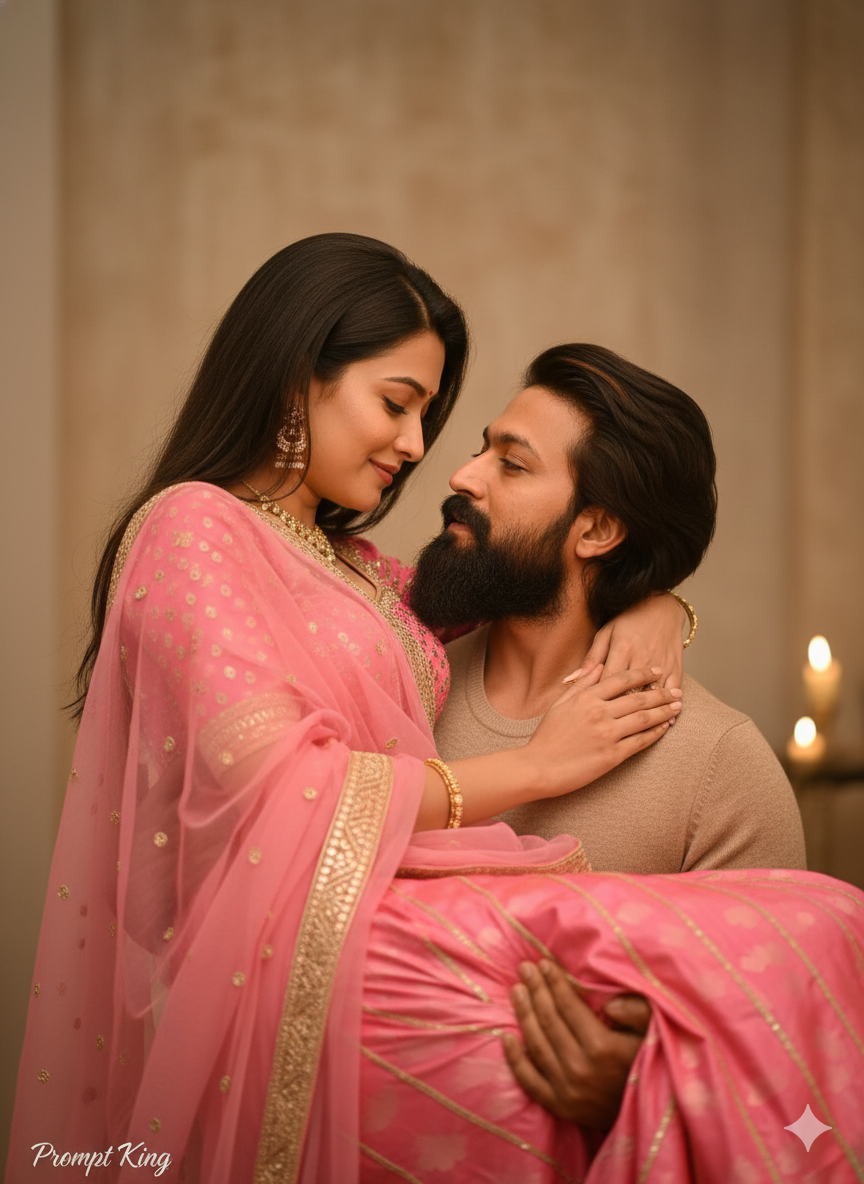
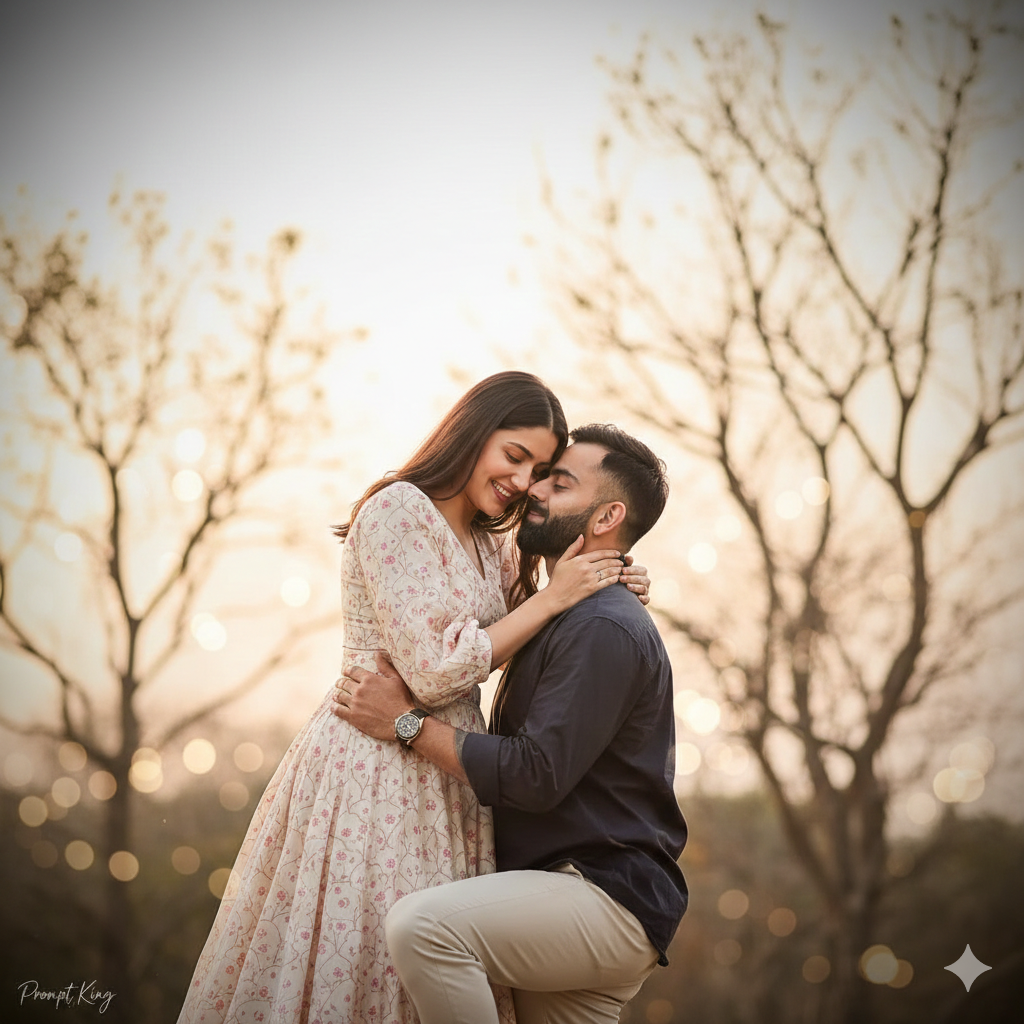
This prompt creates a realistic outdoor couple portrait using faces from your reference image. The background shows dry, leafless trees against a soft pastel sky, which gives a calm and slightly wintry feel. The man kneels on the right towards the woman, and the two lean close together near the chin, with her showing a joyful, shy reaction. The prompt also describes him holding her in his arms, so the scene is warm and affectionate. Both wear matching cream-pink patterned outfits, which ties them together visually. Gentle warm daylight, low contrast, natural skin tones, airy bokeh and a subtle vignette create a soft, clean look, and an 85mm lens with f/1.8 depth of field keeps the couple sharp while the trees blur. The prompt includes a negative list to avoid plastic skin, extra people, harsh HDR and neon colours. It suits engagement announcements, anniversary posts, pre-wedding photoshoot ideas, proposal memories and Valentine's week posts for couples who prefer soft, understated romance.
Lighting, colour and composition
Warm, low-contrast daylight keeps skin tones natural and shadows light. The palette is cream, blush pink and pale pastel sky with muted brown branches. The couple sits slightly off-centre, with the kneeling pose forming a triangle and a gentle vignette drawing the eye inwards.
Ways to make it your own
- Choose a single pose, either kneeling or carrying, so the result stays consistent.
- Change the matching outfits to ivory and gold for a pre-wedding style shoot.
- Add a ring box in his hand to turn the scene into a proposal moment.
Best for
Couple photo ideas and creative portrait inspiration.
Suggested framing
Use 9:16 portrait framing as described in the prompt, or adapt to 4:5 for feed posts.
Customization ideas
Adjust the clothing, background, lighting, colors and composition to match your own idea.
How to use
Copy the prompt, adapt it to your idea, and paste it into your preferred compatible AI tool. Follow that tool’s instructions for reference photos.
A few helpful answers.
What type of image does this prompt create?
In a compatible AI tool, this prompt is intended as a starting point for this prompt creates a realistic outdoor couple portrait using faces from your reference image. The background shows dry, leafless trees against a soft pastel sky, which gives a calm and slightly wintry feel. The man kneels on the right towards the woman, and the two lean close together near the chin, with her showing a joyful, shy reaction. The prompt also describes him holding her in his arms, so the scene is warm and affectionate. Both wear matching cream-pink patterned outfits, which ties them together visually. Gentle warm daylight, low contrast, natural skin tones, airy bokeh and a subtle vignette create a soft, clean look, and an 85mm lens with f/1.8 depth of field keeps the couple sharp while the trees blur. The prompt includes a negative list to avoid plastic skin, extra people, harsh HDR and neon colours. It suits engagement announcements, anniversary posts, pre-wedding photoshoot ideas, proposal memories and Valentine's week posts for couples who prefer soft, understated romance. Results depend on the tool, settings and references you use.
Can I customize the clothing or background?
Yes. Replace the clothing, setting or colors in the prompt with your own choices. Keep descriptions consistent and adjust one detail at a time.
What aspect ratio works best?
Start with Use 9:16 portrait framing as described in the prompt, or adapt to 4:5 for feed posts.. A 4:5 ratio works well for a portrait feed post. Adjust the crop for your intended platform and your tool’s available settings.
Does Prompt King generate the image?
No. Prompt King helps users discover and copy prompts that can be used with compatible AI tools.
Can I use this for social media ideas?
Yes. Use it as creative inspiration and customize the result for your audience. Use photos you have permission to upload, and check your chosen tool’s terms before publishing.