Couple Celebrating Chocolate Day at Wooden Table
About this prompt
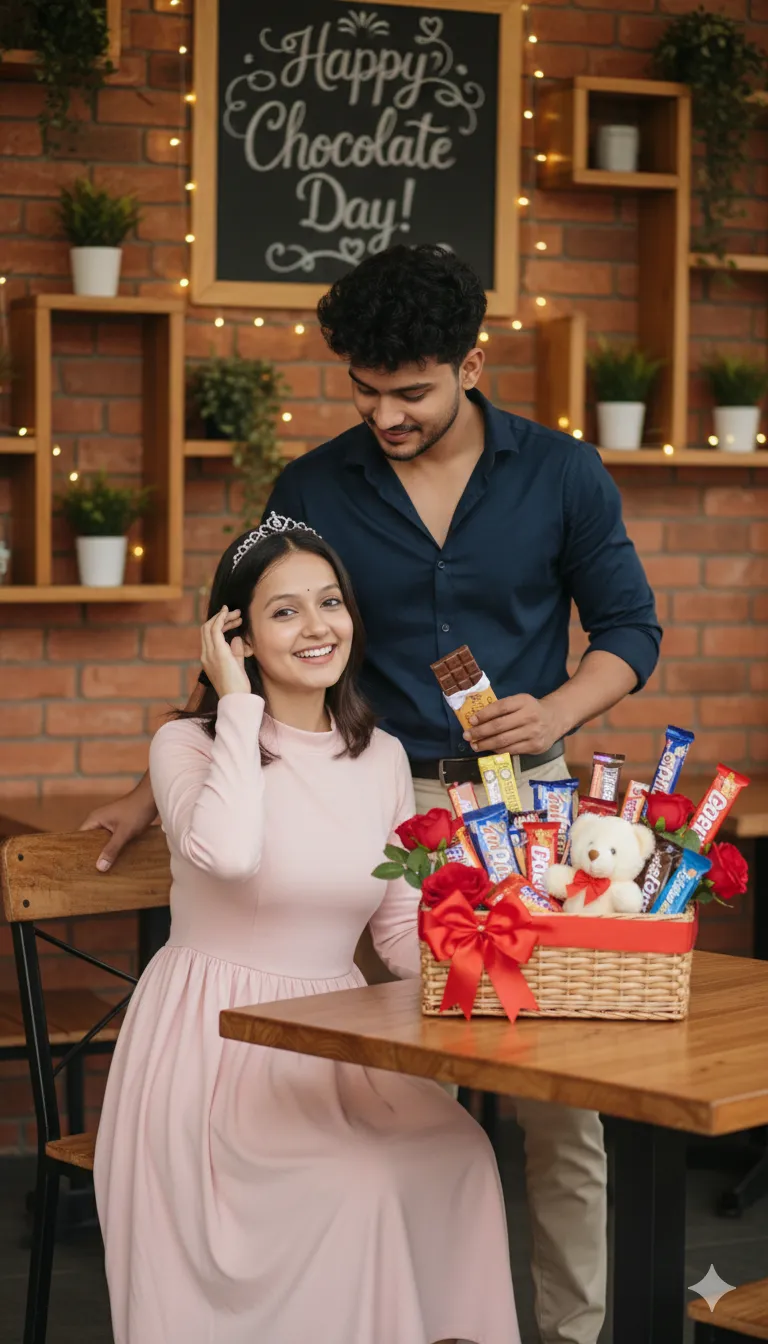
This prompt creates a warm, realistic indoor photograph of a young couple celebrating Chocolate Day. The woman sits on a wooden chair in a soft pink dress with a small tiara, smiling directly at the camera, while the man stands just behind her, leaning in with a gentle smile. He wears a dark navy shirt with beige trousers and holds a chocolate bar in his hand. In front of them is a wooden table set with decorated treats and gifts, giving the scene a homely, celebratory feel. The lighting is warm and natural, similar to a well-lit living room, with soft shadows and true-to-life colours rather than heavy filters. The composition reads like a candid family-album photo, which makes it feel personal and relatable. This style suits couples who want a sweet image for Chocolate Day on 9 February, a Valentine's week post, or a small anniversary greeting. The tiara adds a playful 'princess' touch that works well for partners who like a little fun in their photos. For the best likeness, upload a photo of both people with their faces clearly visible, and keep in mind the standing-and-seated pose when choosing the reference.
Lighting, colour and composition
Warm, natural indoor light with gentle falloff gives a homely glow. Colours centre on soft pink, deep navy, beige and the rich browns of chocolate and wood. The composition places the seated woman in the foreground and the man slightly behind, creating layered depth with the decorated table anchoring the lower frame.
Ways to make it your own
- Replace the tiara with a flower hair clip if you want a simpler, more everyday look.
- Change the table spread to a single heart-shaped chocolate box for a cleaner composition.
- Add soft fairy lights on the wall behind the couple for an evening celebration feel.
Best for
Valentine's day photo ideas and creative portrait inspiration.
Suggested framing
Use 9:16 portrait framing as described in the prompt, or adapt to 4:5 for feed posts.
Customization ideas
Adjust the clothing, background, lighting, colors and composition to match your own idea.
How to use
Copy the prompt, adapt it to your idea, and paste it into your preferred compatible AI tool. Follow that tool’s instructions for reference photos.
A few helpful answers.
What type of image does this prompt create?
In a compatible AI tool, this prompt is intended as a starting point for this prompt creates a warm, realistic indoor photograph of a young couple celebrating Chocolate Day. The woman sits on a wooden chair in a soft pink dress with a small tiara, smiling directly at the camera, while the man stands just behind her, leaning in with a gentle smile. He wears a dark navy shirt with beige trousers and holds a chocolate bar in his hand. In front of them is a wooden table set with decorated treats and gifts, giving the scene a homely, celebratory feel. The lighting is warm and natural, similar to a well-lit living room, with soft shadows and true-to-life colours rather than heavy filters. The composition reads like a candid family-album photo, which makes it feel personal and relatable. This style suits couples who want a sweet image for Chocolate Day on 9 February, a Valentine's week post, or a small anniversary greeting. The tiara adds a playful 'princess' touch that works well for partners who like a little fun in their photos. For the best likeness, upload a photo of both people with their faces clearly visible, and keep in mind the standing-and-seated pose when choosing the reference. Results depend on the tool, settings and references you use.
Can I customize the clothing or background?
Yes. Replace the clothing, setting or colors in the prompt with your own choices. Keep descriptions consistent and adjust one detail at a time.
What aspect ratio works best?
Start with Use 9:16 portrait framing as described in the prompt, or adapt to 4:5 for feed posts.. A 4:5 ratio works well for a portrait feed post. Adjust the crop for your intended platform and your tool’s available settings.
Does Prompt King generate the image?
No. Prompt King helps users discover and copy prompts that can be used with compatible AI tools.
Can I use this for social media ideas?
Yes. Use it as creative inspiration and customize the result for your audience. Use photos you have permission to upload, and check your chosen tool’s terms before publishing.