Yellow Flower Field Poster With Name Typography
About this prompt
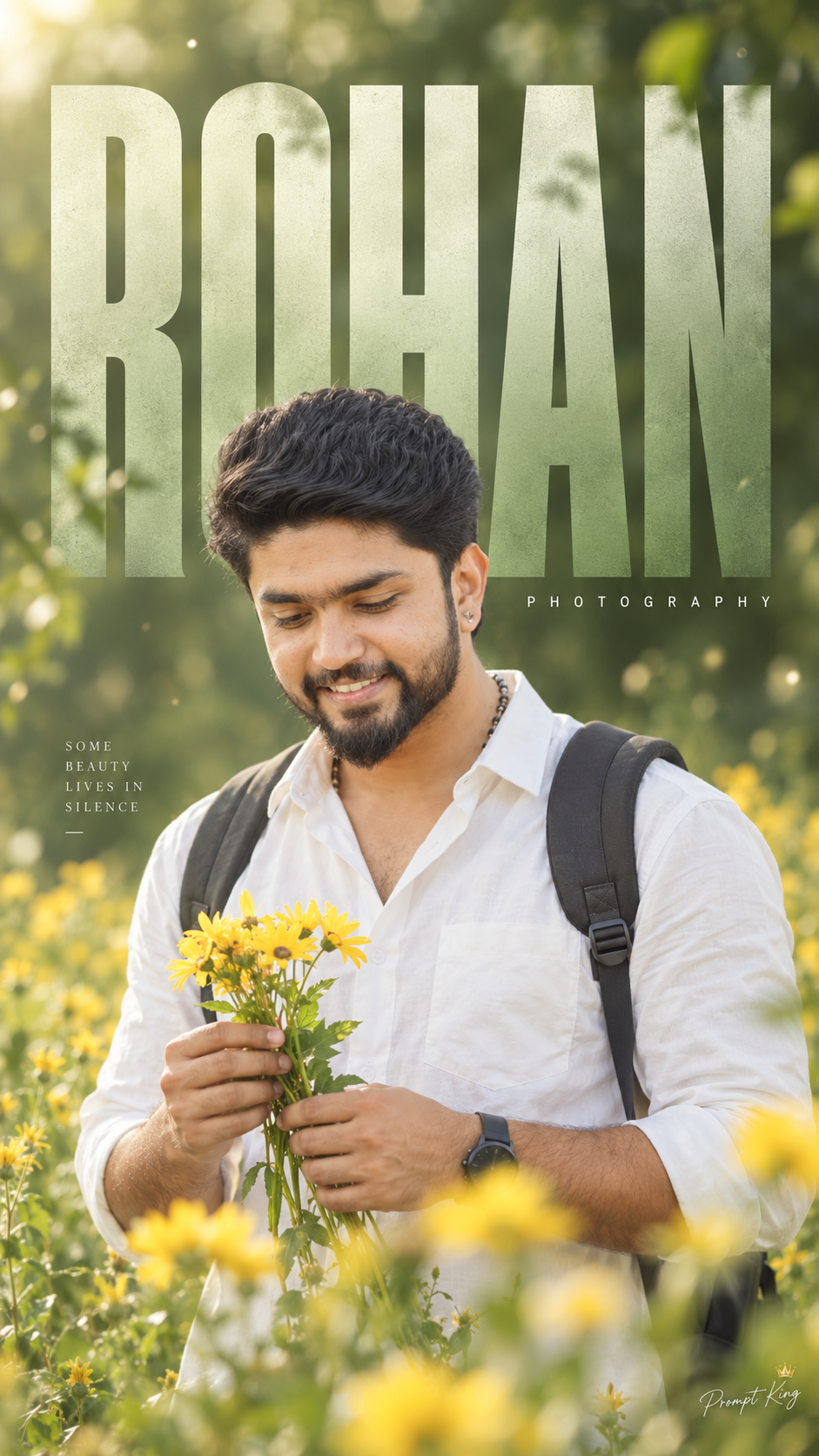
This prompt creates a minimal 9:16 portrait poster of a young Indian man standing in a field of yellow flowers, holding a small bunch of them in his hands. He wears a plain white shirt and a backpack and looks down with a calm, thoughtful expression. Soft natural light falls on the scene, and the green background dissolves into blurred flowers and bokeh. Behind the subject, a large vertical name in a clean modern font fills most of the frame, with the small word 'PHOTOGRAPHY' spaced beneath it, giving the image the look of a designer poster or portfolio cover. The colour grade leans soft green with warm tones, creating a dreamy and gentle atmosphere. You replace the placeholder 'Your Name' with your own name or brand. This prompt works well for a photographer's portfolio cover, a personal brand banner, a birthday post, or a calm, aesthetic profile picture. It is also a good base for spring and travel themes. Upload a clear photo of yourself so the face and build match, and keep the name short so the typography stays legible.
Lighting, colour and composition
Soft, diffused daylight keeps contrast low and skin tones gentle. The palette mixes fresh green, warm yellow and white, with the name lettering in a neutral tone. The subject stands centred in front of oversized vertical text, while shallow depth of field and bokeh separate him from the background.
Ways to make it your own
- Replace 'Your Name' with your initials if your full name is long or hard to read vertically.
- Swap yellow flowers for white daisies or sunflowers for a different seasonal feel.
- Change PHOTOGRAPHY to a word that fits you, such as DESIGN or TRAVEL.
Best for
Trending photo ideas and creative portrait inspiration.
Suggested framing
Use 9:16 portrait framing as described in the prompt, or adapt to 4:5 for feed posts.
Customization ideas
Adjust the clothing, background, lighting, colors and composition to match your own idea.
How to use
Copy the prompt, adapt it to your idea, and paste it into your preferred compatible AI tool. Follow that tool’s instructions for reference photos.
A few helpful answers.
What type of image does this prompt create?
In a compatible AI tool, this prompt is intended as a starting point for this prompt creates a minimal 9:16 portrait poster of a young Indian man standing in a field of yellow flowers, holding a small bunch of them in his hands. He wears a plain white shirt and a backpack and looks down with a calm, thoughtful expression. Soft natural light falls on the scene, and the green background dissolves into blurred flowers and bokeh. Behind the subject, a large vertical name in a clean modern font fills most of the frame, with the small word 'PHOTOGRAPHY' spaced beneath it, giving the image the look of a designer poster or portfolio cover. The colour grade leans soft green with warm tones, creating a dreamy and gentle atmosphere. You replace the placeholder 'Your Name' with your own name or brand. This prompt works well for a photographer's portfolio cover, a personal brand banner, a birthday post, or a calm, aesthetic profile picture. It is also a good base for spring and travel themes. Upload a clear photo of yourself so the face and build match, and keep the name short so the typography stays legible. Results depend on the tool, settings and references you use.
Can I customize the clothing or background?
Yes. Replace the clothing, setting or colors in the prompt with your own choices. Keep descriptions consistent and adjust one detail at a time.
What aspect ratio works best?
Start with Use 9:16 portrait framing as described in the prompt, or adapt to 4:5 for feed posts.. A 4:5 ratio works well for a portrait feed post. Adjust the crop for your intended platform and your tool’s available settings.
Does Prompt King generate the image?
No. Prompt King helps users discover and copy prompts that can be used with compatible AI tools.
Can I use this for social media ideas?
Yes. Use it as creative inspiration and customize the result for your audience. Use photos you have permission to upload, and check your chosen tool’s terms before publishing.