Vintage Blush Tea Length Gown With Pearl Tiara
About this prompt
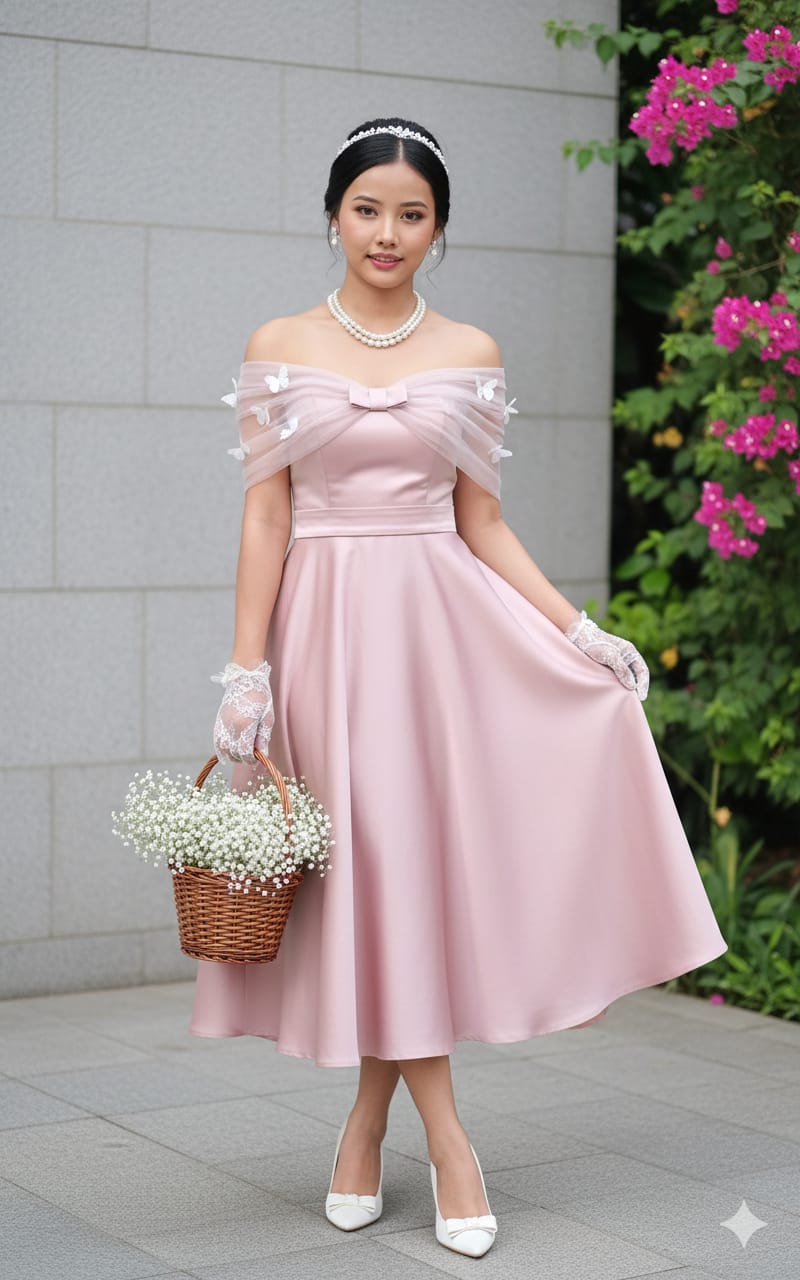
A detailed fashion prompt for a vintage-inspired formal look photographed outdoors. The woman wears a tea-length A-line gown in soft dusty blush rose, made from smooth semi-gloss fabric such as duchess satin or heavy silk. The off-the-shoulder neckline has a sheer tulle overlay gathered at the bust with a matching satin bow, and small 3D butterfly appliques are scattered over the tulle sleeves. A wide satin waistband defines the waist. Accessories are carefully specified: short sheer lace opera gloves in ivory, white satin pointed heels with bows, a multi-strand pearl necklace with pearl studs, and a delicate crystal or pearl tiara. She holds a small brown woven basket filled with white flowers like baby's breath or small roses. The result has a 1950s-inspired, storybook feel that suits a bridal shower, engagement announcement, a sweet sixteen or eighteenth birthday, a prom or graduation dinner, or a romantic profile picture. Designers and boutique owners can also use it to visualise a blush gown concept with coordinated accessories before sampling fabrics. The level of detail in the prompt helps keep the outfit consistent across several generations.
Lighting, colour and composition
Soft outdoor daylight keeps skin and satin luminous, with gentle highlights on pearls and tiara. The palette is pastel: dusty rose, ivory, pearl white and a touch of basket brown. A full or three-quarter vertical composition shows the gown's silhouette, while a softly blurred garden background keeps the vintage styling the clear focus.
Ways to make it your own
- Change the gown to powder blue or mint green while keeping the pearl and tulle details.
- Swap the flower basket for a small vintage clutch or a single long-stem rose.
- Request a full-length 2:3 frame so the tea-length hem and bow heels stay visible.
Best for
Girls photo ideas and creative portrait inspiration.
Suggested framing
Use 9:16 portrait framing as described in the prompt, or adapt to 4:5 for feed posts.
Customization ideas
Adjust the clothing, background, lighting, colors and composition to match your own idea.
How to use
Copy the prompt, adapt it to your idea, and paste it into your preferred compatible AI tool. Follow that tool’s instructions for reference photos.
A few helpful answers.
What type of image does this prompt create?
In a compatible AI tool, this prompt is intended as a starting point for a detailed fashion prompt for a vintage-inspired formal look photographed outdoors. The woman wears a tea-length A-line gown in soft dusty blush rose, made from smooth semi-gloss fabric such as duchess satin or heavy silk. The off-the-shoulder neckline has a sheer tulle overlay gathered at the bust with a matching satin bow, and small 3D butterfly appliques are scattered over the tulle sleeves. A wide satin waistband defines the waist. Accessories are carefully specified: short sheer lace opera gloves in ivory, white satin pointed heels with bows, a multi-strand pearl necklace with pearl studs, and a delicate crystal or pearl tiara. She holds a small brown woven basket filled with white flowers like baby's breath or small roses. The result has a 1950s-inspired, storybook feel that suits a bridal shower, engagement announcement, a sweet sixteen or eighteenth birthday, a prom or graduation dinner, or a romantic profile picture. Designers and boutique owners can also use it to visualise a blush gown concept with coordinated accessories before sampling fabrics. The level of detail in the prompt helps keep the outfit consistent across several generations. Results depend on the tool, settings and references you use.
Can I customize the clothing or background?
Yes. Replace the clothing, setting or colors in the prompt with your own choices. Keep descriptions consistent and adjust one detail at a time.
What aspect ratio works best?
Start with Use 9:16 portrait framing as described in the prompt, or adapt to 4:5 for feed posts.. A 4:5 ratio works well for a portrait feed post. Adjust the crop for your intended platform and your tool’s available settings.
Does Prompt King generate the image?
No. Prompt King helps users discover and copy prompts that can be used with compatible AI tools.
Can I use this for social media ideas?
Yes. Use it as creative inspiration and customize the result for your audience. Use photos you have permission to upload, and check your chosen tool’s terms before publishing.