Top Down Playful Glasses Push On Vintage Car
About this prompt
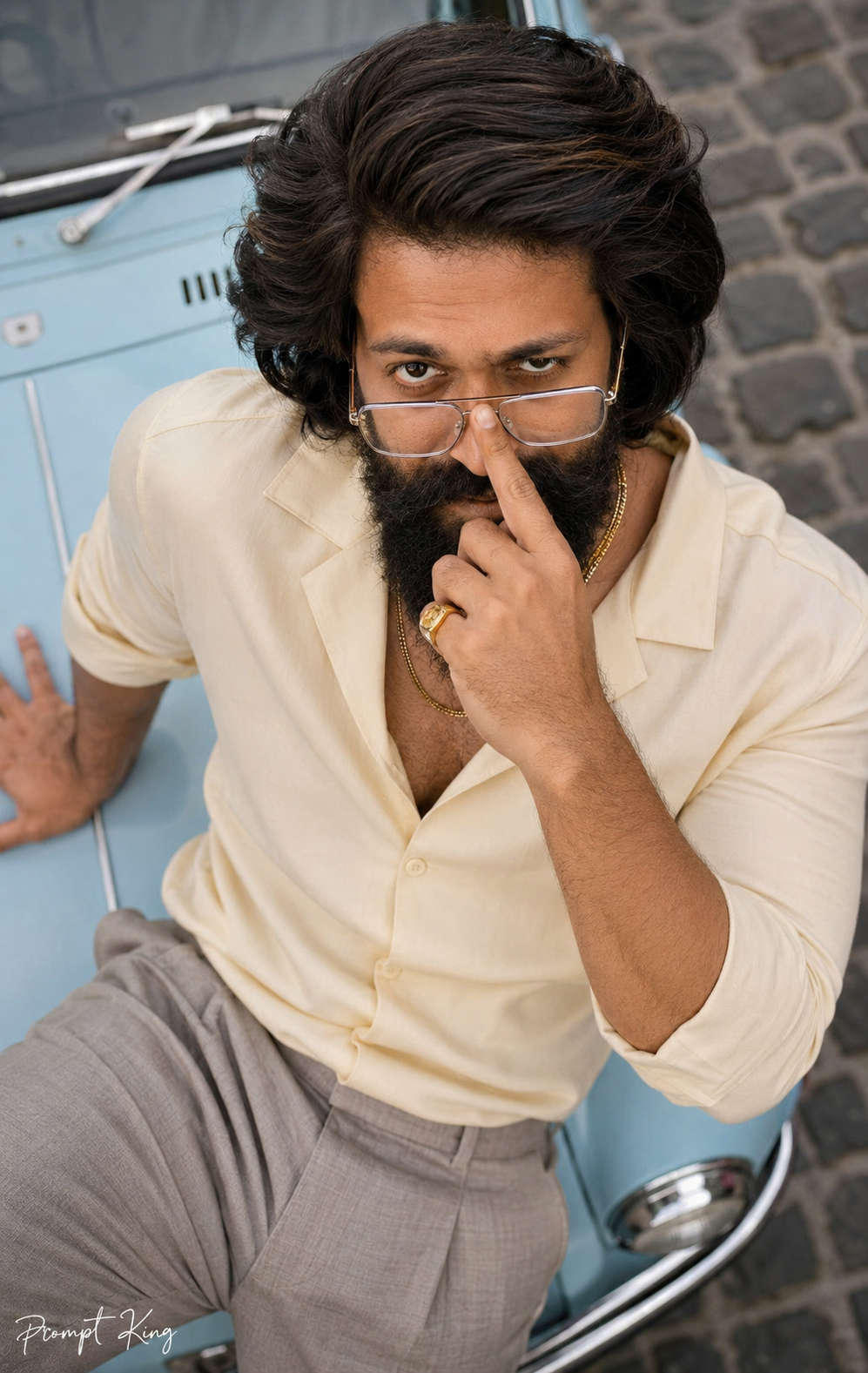
This prompt creates a realistic overhead photograph of a man leaning back on the powder-blue bonnet of a vintage car parked on a cobbled old-town street. The camera sits directly above him, so his upturned face fills the top half of the frame while his torso and the car bonnet recede below with natural perspective. He wears clear-frame glasses pushed halfway down his nose, one index finger on the bridge as if pushing them back up, and looks over the frames with a cheeky grin and one raised eyebrow. His other hand rests flat on the bonnet wearing a gold signet ring. The outfit is a butter-cream Cuban-collar shirt with stone-coloured pleated trousers and layered double gold chains that slide slightly toward his collar. The prompt keeps your exact eyes, brows, nose, lips, jawline, beard and hairline, and asks for soft, open overcast noon light with a faint blue bounce from the car. The look is fun and fashion-forward. It suits a quirky profile picture, a style blog post or a birthday image.
Lighting, colour and composition
Soft, open overcast daylight lights the face evenly, with a gentle shadow beneath the jaw and a pale blue bounce. The palette is powder blue, cream, stone and gold set against grey cobblestones. The overhead viewpoint puts the face large at the top, with the shirt and bonnet tapering down for depth.
Ways to make it your own
- Change the Cuban shirt to a printed resort shirt for a holiday mood.
- Remove the gold chains if you prefer a cleaner, more minimal styling for the outfit.
- Ask for a red vintage car to create stronger contrast with the cream outfit.
Best for
Trending photo ideas and creative portrait inspiration.
Suggested framing
Use 9:16 portrait framing as described in the prompt, or adapt to 4:5 for feed posts.
Customization ideas
Adjust the clothing, background, lighting, colors and composition to match your own idea.
How to use
Copy the prompt, adapt it to your idea, and paste it into your preferred compatible AI tool. Follow that tool’s instructions for reference photos.
A few helpful answers.
What type of image does this prompt create?
In a compatible AI tool, this prompt is intended as a starting point for this prompt creates a realistic overhead photograph of a man leaning back on the powder-blue bonnet of a vintage car parked on a cobbled old-town street. The camera sits directly above him, so his upturned face fills the top half of the frame while his torso and the car bonnet recede below with natural perspective. He wears clear-frame glasses pushed halfway down his nose, one index finger on the bridge as if pushing them back up, and looks over the frames with a cheeky grin and one raised eyebrow. His other hand rests flat on the bonnet wearing a gold signet ring. The outfit is a butter-cream Cuban-collar shirt with stone-coloured pleated trousers and layered double gold chains that slide slightly toward his collar. The prompt keeps your exact eyes, brows, nose, lips, jawline, beard and hairline, and asks for soft, open overcast noon light with a faint blue bounce from the car. The look is fun and fashion-forward. It suits a quirky profile picture, a style blog post or a birthday image. Results depend on the tool, settings and references you use.
Can I customize the clothing or background?
Yes. Replace the clothing, setting or colors in the prompt with your own choices. Keep descriptions consistent and adjust one detail at a time.
What aspect ratio works best?
Start with Use 9:16 portrait framing as described in the prompt, or adapt to 4:5 for feed posts.. A 4:5 ratio works well for a portrait feed post. Adjust the crop for your intended platform and your tool’s available settings.
Does Prompt King generate the image?
No. Prompt King helps users discover and copy prompts that can be used with compatible AI tools.
Can I use this for social media ideas?
Yes. Use it as creative inspiration and customize the result for your audience. Use photos you have permission to upload, and check your chosen tool’s terms before publishing.