Realistic Portrait With Playful 3D Chibi Doodles
About this prompt
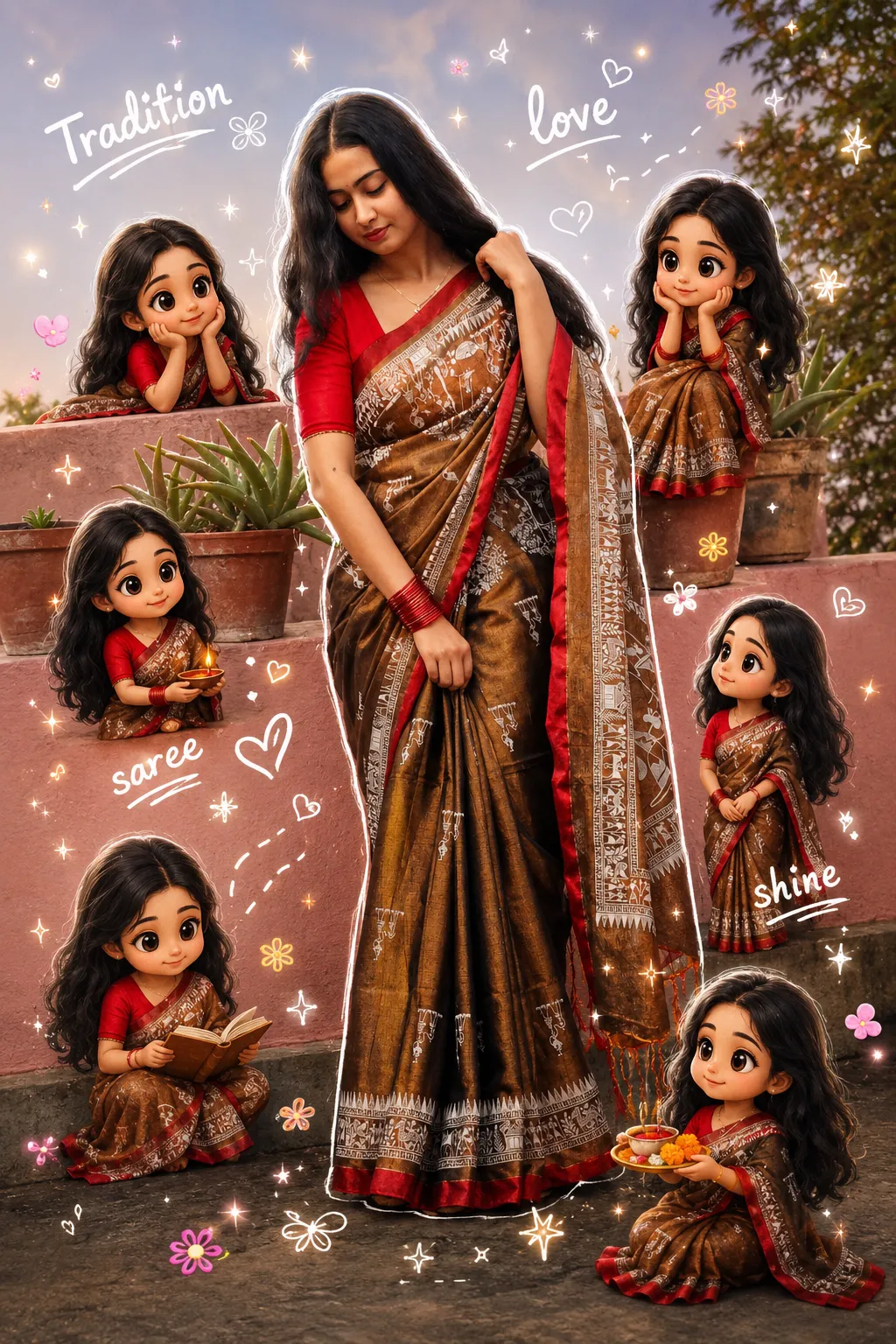
This creative prompt mixes a realistic photo with cartoon elements. The main subject, taken from your uploaded image, stays fully realistic, while several small 3D chibi versions of the same person appear around her. The miniatures share the same face, hairstyle, outfit and body proportions, and they interact playfully with her or with nearby objects, such as sitting on her shoulder, peeking from behind or waving, without crowding the main figure. On top of the photo, the prompt adds hand-drawn doodle effects: soft white outlines around the subject, sparkles, small hearts, tiny flowers, smiley icons and handwritten words like Life, positivity and travel. The result blends hyper-real photography with soft, colourful illustration, similar to a scrapbook or journal-style edit. The aspect ratio is 2:3, which suits portrait-oriented posts and phone wallpapers. This style works well for a fun profile picture, a birthday post, a travel memory, a friendship day edit or any casual social media update where you want something light and cheerful rather than formal. It is a good choice for people who enjoy cute, personalised artwork that still looks like them.
Lighting, colour and composition
Lighting follows the original photo so the realistic subject looks natural, while the chibi figures get soft, toy-like shading. White outlines and doodles add brightness and pop against most backgrounds. The composition keeps the real subject large and central, with miniatures arranged loosely around the edges.
Ways to make it your own
- Change the handwritten words to a name, a birthday wish or a city you visited.
- Limit the chibi figures to two or three if the original photo has a busy background.
- Mention a colour theme for the doodles, such as pastel pink or neon yellow, to match your outfit.
Best for
Girls photo ideas and creative portrait inspiration.
Suggested framing
Use 2:3 portrait framing as described in the prompt, or adapt to 4:5 for feed posts.
Customization ideas
Adjust the clothing, background, lighting, colors and composition to match your own idea.
How to use
Copy the prompt, adapt it to your idea, and paste it into your preferred compatible AI tool. Follow that tool’s instructions for reference photos.
A few helpful answers.
What type of image does this prompt create?
In a compatible AI tool, this prompt is intended as a starting point for this creative prompt mixes a realistic photo with cartoon elements. The main subject, taken from your uploaded image, stays fully realistic, while several small 3D chibi versions of the same person appear around her. The miniatures share the same face, hairstyle, outfit and body proportions, and they interact playfully with her or with nearby objects, such as sitting on her shoulder, peeking from behind or waving, without crowding the main figure. On top of the photo, the prompt adds hand-drawn doodle effects: soft white outlines around the subject, sparkles, small hearts, tiny flowers, smiley icons and handwritten words like Life, positivity and travel. The result blends hyper-real photography with soft, colourful illustration, similar to a scrapbook or journal-style edit. The aspect ratio is 2:3, which suits portrait-oriented posts and phone wallpapers. This style works well for a fun profile picture, a birthday post, a travel memory, a friendship day edit or any casual social media update where you want something light and cheerful rather than formal. It is a good choice for people who enjoy cute, personalised artwork that still looks like them. Results depend on the tool, settings and references you use.
Can I customize the clothing or background?
Yes. Replace the clothing, setting or colors in the prompt with your own choices. Keep descriptions consistent and adjust one detail at a time.
What aspect ratio works best?
Start with Use 2:3 portrait framing as described in the prompt, or adapt to 4:5 for feed posts.. A 4:5 ratio works well for a portrait feed post. Adjust the crop for your intended platform and your tool’s available settings.
Does Prompt King generate the image?
No. Prompt King helps users discover and copy prompts that can be used with compatible AI tools.
Can I use this for social media ideas?
Yes. Use it as creative inspiration and customize the result for your audience. Use photos you have permission to upload, and check your chosen tool’s terms before publishing.