Rainy Night Paparazzi Moment Beside a Black SUV
About this prompt
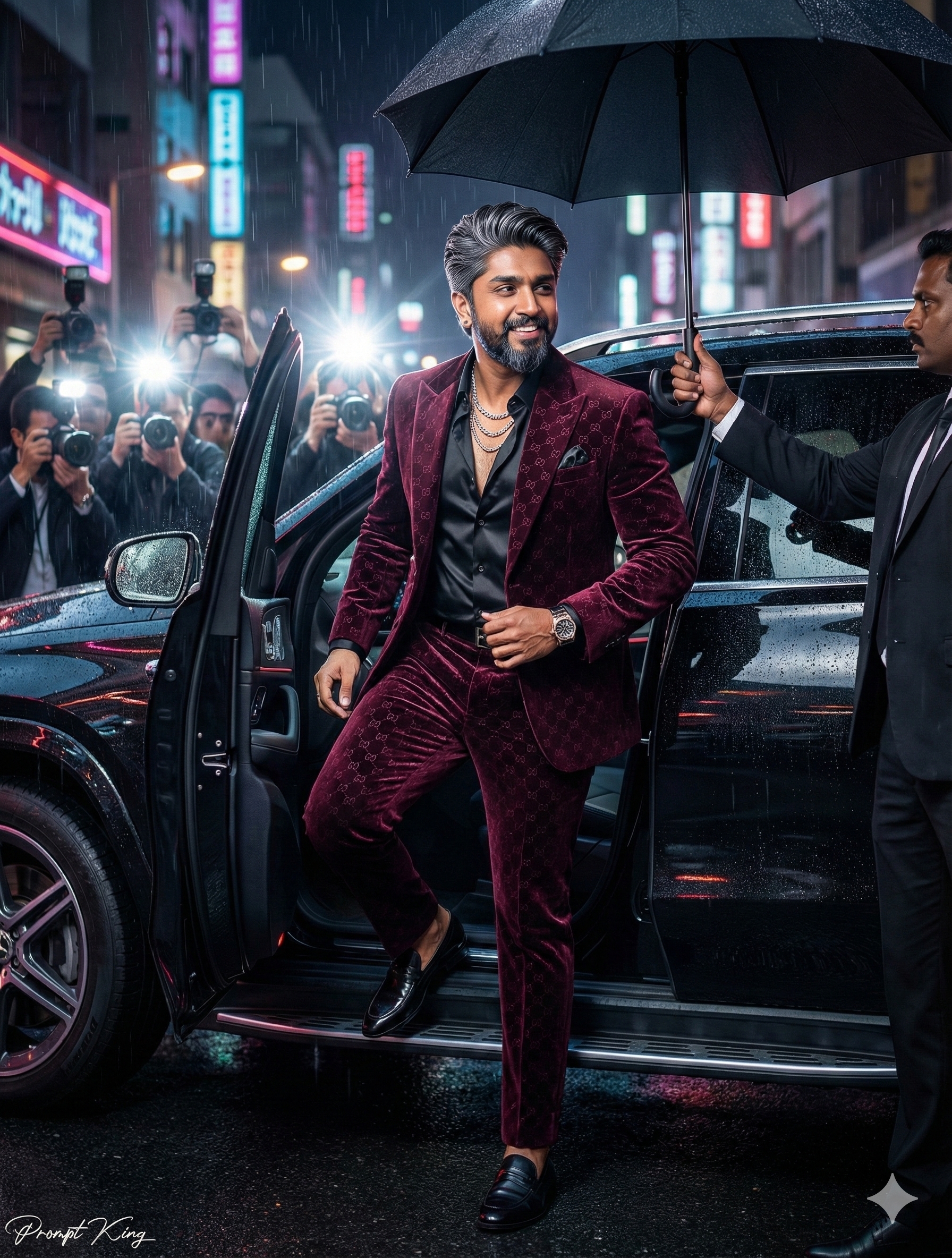
A night-time, paparazzi-style photograph of a stylish young man stepping out of a glossy black luxury SUV on a rainy city street. He is caught mid-step, one foot on the wet asphalt and one still inside the car, smiling confidently and glancing to his left. His look is bold: a deep burgundy velvet suit with a subtle monogram pattern, a black satin shirt open at the collar, layered silver chains, a luxury wristwatch and polished black leather loafers. A security guard stands beside him holding a large black umbrella, while a crowd of photographers behind fire their camera flashes, creating bright backlighting and lens flares. Raindrops bead on the car body and the road reflects neon city lights, adding depth and movement to the scene. The result feels like a red-carpet arrival or a premiere night photo. It is a fun option for a birthday post, a playful 'famous for a day' profile picture, a launch announcement for a personal brand, or a stylised image for a music or fashion content creator. Since it centres on an original character rather than any real public figure, the outfit and car can be adapted freely.
Lighting, colour and composition
High-contrast night lighting mixes cool neon reflections with hard white camera flashes that create rim light and lens flare. The palette is burgundy, black and silver over blue-tinted wet asphalt. A low, slightly wide angle captures the open car door, guard and photographers, while shallow focus keeps the subject crisp amid motion and rain.
Ways to make it your own
- Change the velvet suit colour to emerald or midnight blue to shift the overall mood.
- Remove the rain and use a dry red-carpet entrance if you want a cleaner premiere look.
- Use a 9:16 vertical crop to keep the subject, umbrella and flashes in a story-friendly frame.
Best for
Trending photo ideas and creative portrait inspiration.
Suggested framing
Use 9:16 portrait framing as described in the prompt, or adapt to 4:5 for feed posts.
Customization ideas
Adjust the clothing, background, lighting, colors and composition to match your own idea.
How to use
Copy the prompt, adapt it to your idea, and paste it into your preferred compatible AI tool. Follow that tool’s instructions for reference photos.
A few helpful answers.
What type of image does this prompt create?
In a compatible AI tool, this prompt is intended as a starting point for a night-time, paparazzi-style photograph of a stylish young man stepping out of a glossy black luxury SUV on a rainy city street. He is caught mid-step, one foot on the wet asphalt and one still inside the car, smiling confidently and glancing to his left. His look is bold: a deep burgundy velvet suit with a subtle monogram pattern, a black satin shirt open at the collar, layered silver chains, a luxury wristwatch and polished black leather loafers. A security guard stands beside him holding a large black umbrella, while a crowd of photographers behind fire their camera flashes, creating bright backlighting and lens flares. Raindrops bead on the car body and the road reflects neon city lights, adding depth and movement to the scene. The result feels like a red-carpet arrival or a premiere night photo. It is a fun option for a birthday post, a playful 'famous for a day' profile picture, a launch announcement for a personal brand, or a stylised image for a music or fashion content creator. Since it centres on an original character rather than any real public figure, the outfit and car can be adapted freely. Results depend on the tool, settings and references you use.
Can I customize the clothing or background?
Yes. Replace the clothing, setting or colors in the prompt with your own choices. Keep descriptions consistent and adjust one detail at a time.
What aspect ratio works best?
Start with Use 9:16 portrait framing as described in the prompt, or adapt to 4:5 for feed posts.. A 4:5 ratio works well for a portrait feed post. Adjust the crop for your intended platform and your tool’s available settings.
Does Prompt King generate the image?
No. Prompt King helps users discover and copy prompts that can be used with compatible AI tools.
Can I use this for social media ideas?
Yes. Use it as creative inspiration and customize the result for your audience. Use photos you have permission to upload, and check your chosen tool’s terms before publishing.