Purple Neon Mirror Selfie With Phone Flash
About this prompt
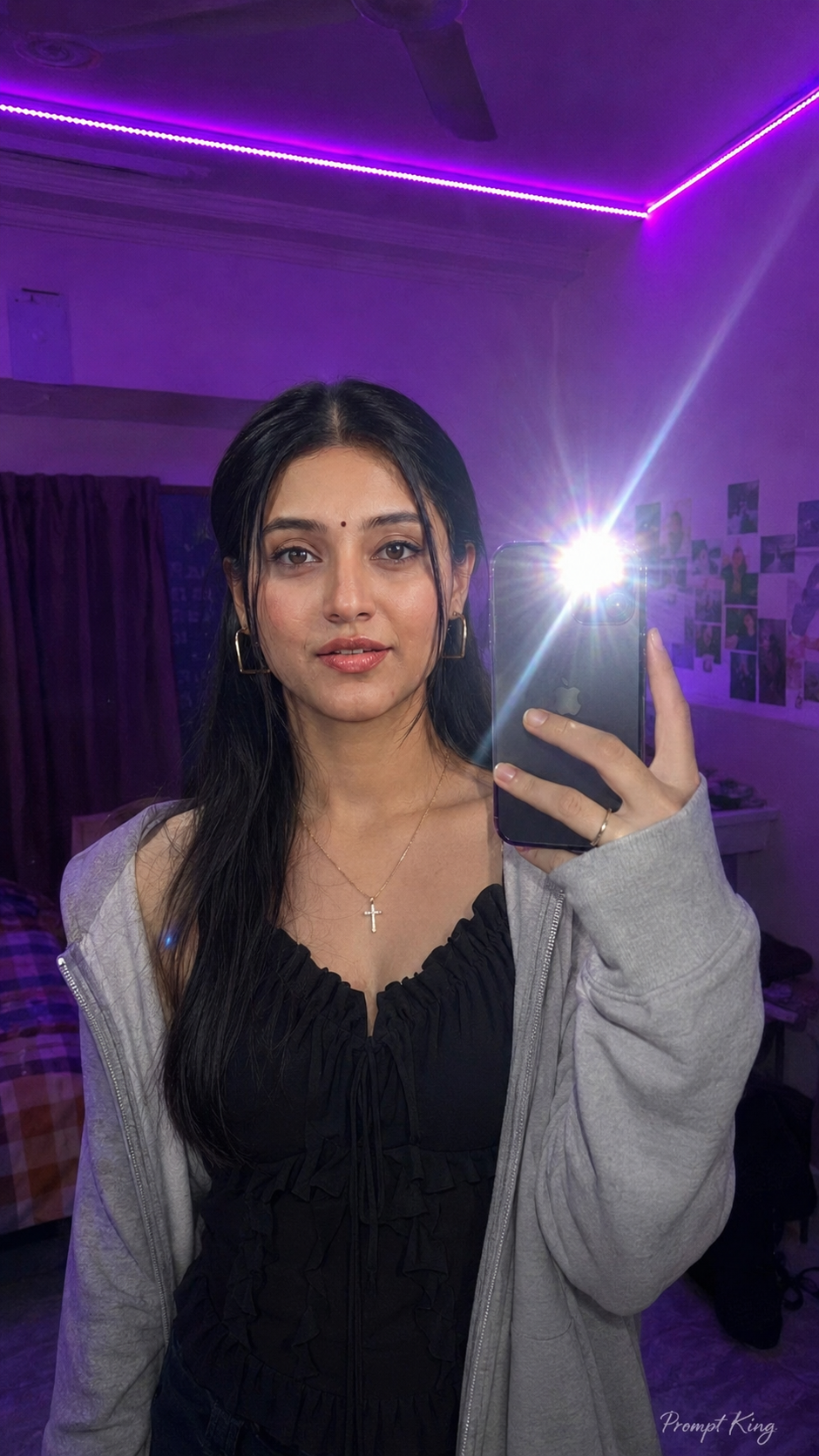
This prompt creates a mirror selfie with a Gen Z aesthetic in a room lit by purple LED strip lights along the ceiling. The subject holds a phone with its flash on, producing a bright starburst effect held slightly away from the face, which adds lens flare and an authentic, unplanned feel. She wears a black Y2K-style ruffle top that is not revealing, an open grey zip hoodie and a cross-style costume jewellery necklace, with a wolf-cut hairstyle. Makeup is natural glam with glossy red lips and pink dewy blush, finished with gold geometric hoop earrings. Neon purple dominates the room and the overall colour of the image. The prompt asks to keep your face and hair exactly as in your reference and to make the result look like a natural phone photo rather than a rendered image, in a 9:16 ratio. This style works well for a casual Instagram story, a fun profile picture, a room makeover post, or a friends' photo-dump series. Using a reference taken in a similar indoor setting helps the lighting match.
Lighting, colour and composition
Purple LED light provides a strong colour cast, while the phone flash adds a bright starburst and lens flare. The palette is neon purple and violet with black and grey clothing and warm gold accents. A typical mirror-selfie composition places the phone near the centre, slightly off the face, with the room glowing behind.
Ways to make it your own
- Change the LED colour to pink or cyan to give the room a different mood.
- Turn off the phone flash for a softer, moodier neon-only look.
- Swap the hoodie for an oversized denim jacket to vary the Y2K styling.
Best for
Girls photo ideas and creative portrait inspiration.
Suggested framing
Use 9:16 portrait framing as described in the prompt, or adapt to 4:5 for feed posts.
Customization ideas
Adjust the clothing, background, lighting, colors and composition to match your own idea.
How to use
Copy the prompt, adapt it to your idea, and paste it into your preferred compatible AI tool. Follow that tool’s instructions for reference photos.
A few helpful answers.
What type of image does this prompt create?
In a compatible AI tool, this prompt is intended as a starting point for this prompt creates a mirror selfie with a Gen Z aesthetic in a room lit by purple LED strip lights along the ceiling. The subject holds a phone with its flash on, producing a bright starburst effect held slightly away from the face, which adds lens flare and an authentic, unplanned feel. She wears a black Y2K-style ruffle top that is not revealing, an open grey zip hoodie and a cross-style costume jewellery necklace, with a wolf-cut hairstyle. Makeup is natural glam with glossy red lips and pink dewy blush, finished with gold geometric hoop earrings. Neon purple dominates the room and the overall colour of the image. The prompt asks to keep your face and hair exactly as in your reference and to make the result look like a natural phone photo rather than a rendered image, in a 9:16 ratio. This style works well for a casual Instagram story, a fun profile picture, a room makeover post, or a friends' photo-dump series. Using a reference taken in a similar indoor setting helps the lighting match. Results depend on the tool, settings and references you use.
Can I customize the clothing or background?
Yes. Replace the clothing, setting or colors in the prompt with your own choices. Keep descriptions consistent and adjust one detail at a time.
What aspect ratio works best?
Start with Use 9:16 portrait framing as described in the prompt, or adapt to 4:5 for feed posts.. A 4:5 ratio works well for a portrait feed post. Adjust the crop for your intended platform and your tool’s available settings.
Does Prompt King generate the image?
No. Prompt King helps users discover and copy prompts that can be used with compatible AI tools.
Can I use this for social media ideas?
Yes. Use it as creative inspiration and customize the result for your audience. Use photos you have permission to upload, and check your chosen tool’s terms before publishing.