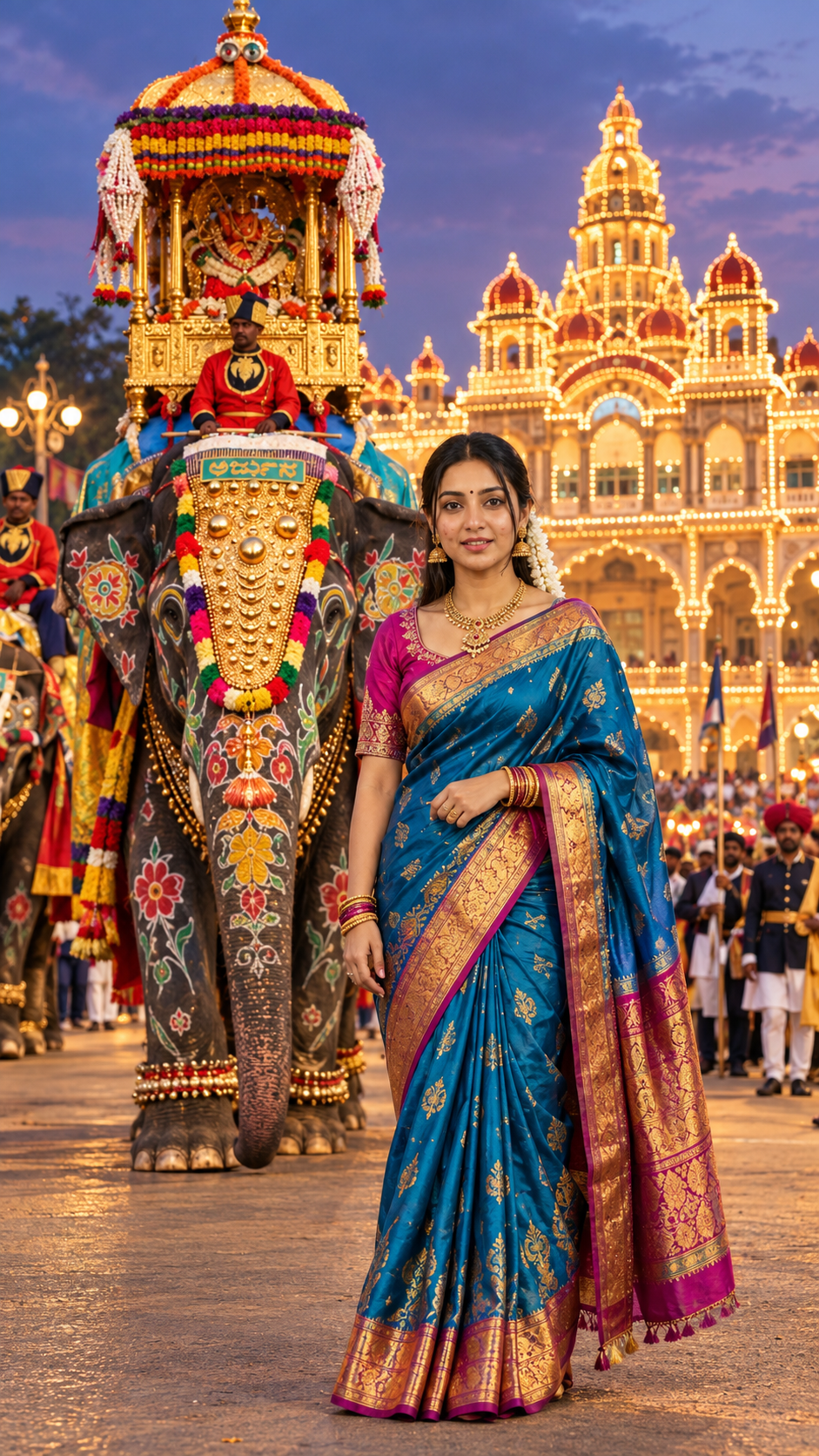
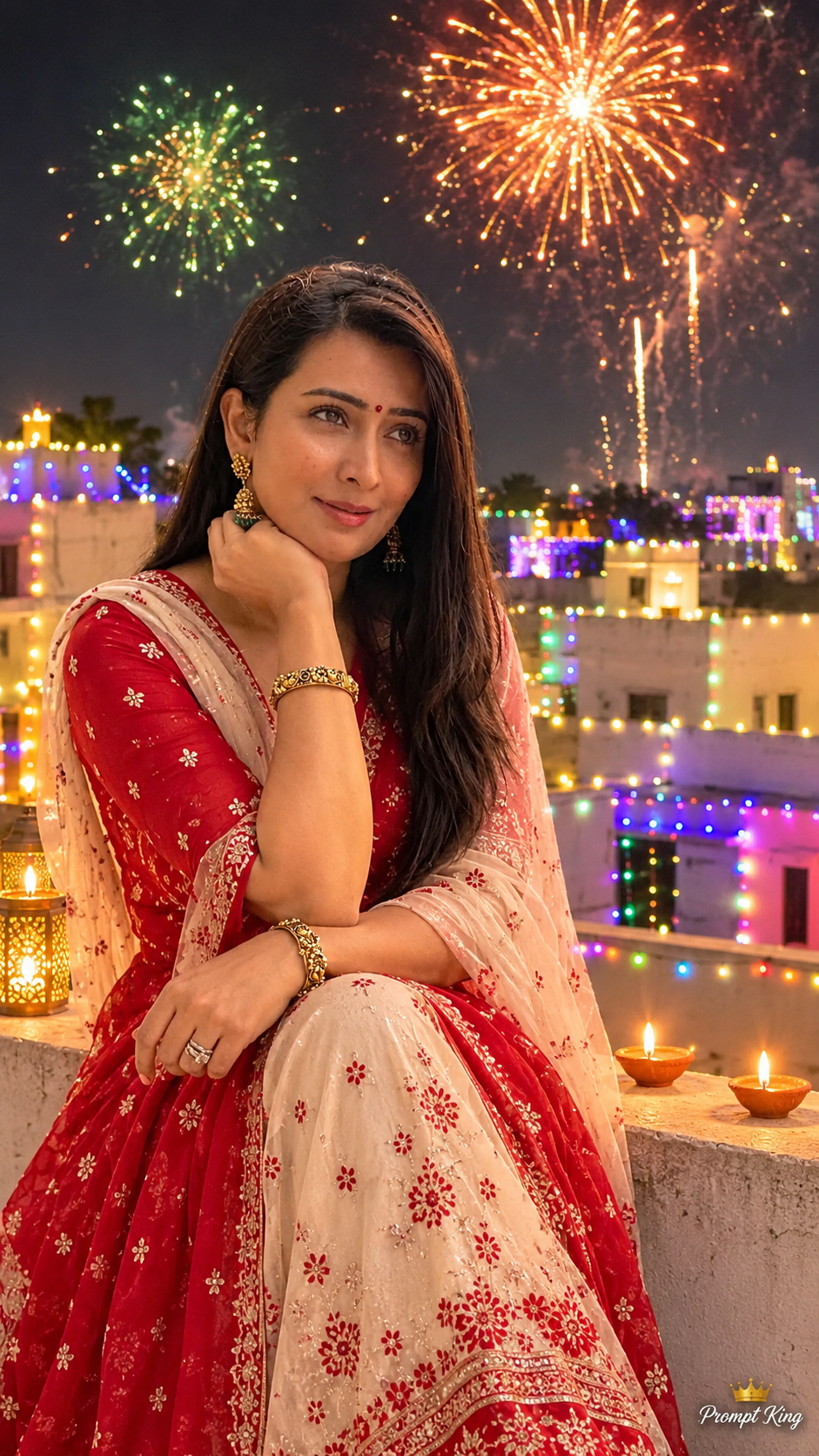
Create a breathtaking, ultra-photorealistic, premium cinematic **9:16 vertical full-body portrait in 8K-quality detail**, featuring a beautiful, stylish 29-year-old adult Indian woman wearing a luxurious traditional Mysore silk saree, standing gracefully beside the majestic Arjuna elephant during the grand **Mysore Dasara Jumbo Savari procession**, with the magnificent **Mysore Palace fully illuminated by thousands of warm golden lights** in the background.
The final image must resemble an expensive professional South Indian celebrity fashion photoshoot, combining authentic Karnataka cultural heritage, luxurious traditional elegance, realistic photographic lighting, and breathtaking royal festival atmosphere.
### 1. STRICT FEMALE FACE IDENTITY PRESERVATION
**REFERENCE IMAGE A — ORIGINAL GIRL'S FACE PHOTO**
Use the uploaded woman's photograph as the PRIMARY and ONLY facial identity reference.
Strictly preserve her exact original:
- Facial identity and recognizable appearance.
- Natural face shape and facial proportions.
- Original eyes, eyebrows, nose, lips, cheeks, and jawline.
- Natural skin tone, undertones, and realistic skin texture.
- Original hairstyle, hairline, and hair characteristics.
- Natural smile and distinctive facial features.
- Authentic age appearance without artificial beautification.
**IMPORTANT:** The generated woman must look like the EXACT SAME PERSON shown in the uploaded reference photograph.
Do not replace her face with a generic AI-generated female model.
Do not artificially whiten her skin, change her facial structure, enlarge her eyes, modify her nose, or excessively smooth her face.
Preserve maximum facial identity consistency.
### 2. PREMIUM ROYAL MYSORE SILK SAREE — MAIN FASHION HIGHLIGHT
Dress the woman in a breathtaking, luxurious **Royal Peacock-Blue Mysore Silk Saree** inspired by traditional Karnataka royal fashion.
**Saree details:**
- Rich peacock-blue pure silk saree with luxurious natural silk sheen.
- Exquisite antique-gold zari border featuring intricate traditional South Indian motifs.
- Subtle woven floral and paisley patterns across the saree.
- Elegant deep-magenta contrast silk blouse with elbow-length sleeves.
- Delicate antique-gold embroidery around the blouse neckline and sleeve edges.
- Beautifully arranged traditional saree pleats.
- Gracefully draped silk pallu flowing naturally over her LEFT shoulder.
- Rich, realistic silk fabric texture with authentic folds and natural movement.
- Sophisticated royal styling without excessive ornamentation.
The saree must look like authentic premium Mysore silk, not a synthetic costume, lehenga, gown, or digitally painted outfit.
The combination of peacock blue, deep magenta, and antique gold must look elegant, expensive, feminine, and culturally authentic.
### 3. PREMIUM TRADITIONAL SOUTH INDIAN JEWELLERY
Enhance the woman's beauty with carefully selected traditional jewellery.
Include:
- Elegant antique-gold temple-style necklace.
- Beautiful matching gold jhumka earrings.
- A delicate gold chain layered naturally.
- Traditional slim gold bangles on both wrists.
- One elegant statement ring.
- Small, perfectly placed maroon bindi.
- Subtle traditional gold waist belt only if it complements the saree naturally.
Avoid oversized jewellery or excessive bridal styling.
The overall appearance should be that of a sophisticated South Indian woman attending a grand royal festival, rather than a heavily decorated bride.
### 4. HAIRSTYLE AND NATURAL MAKEUP
Preserve the woman's original face, hairline, hair color, and recognizable hair characteristics from the uploaded portrait.
Style her existing hair into an elegant traditional South Indian hairstyle suitable for the festival.
**Preferred hairstyle:**
- Beautiful low traditional bun if her reference hair length naturally supports it.
- A small arrangement of fresh white jasmine flowers around the bun.
- Soft natural front strands when appropriate.
- Realistic hair texture and individual strands.
If the reference hairstyle cannot naturally support a bun, retain her original hairstyle and incorporate a small jasmine accessory without altering its length or texture.
**Makeup:**
- Natural, sophisticated South Indian festive makeup.
- Realistic glowing skin without artificial smoothing.
- Soft brown eye definition.
- Delicate eyeliner and mascara.
- Natural rose-pink lipstick.
- Gentle warm-toned blush.
- Authentic skin pores and natural facial details.
Do not change her facial identity through makeup.
### 5. ELEGANT FEMALE POSE AND BODY LANGUAGE
Position the woman in the **RIGHT foreground**, standing gracefully beside and slightly ahead of the majestic Arjuna elephant.
She must stand at a visually believable and respectful distance from the elephant, without touching it or obstructing the procession.
**Pose details:**
- Complete full-body pose from head to feet.
- Body angled slightly toward the camera.
- Face looking DIRECTLY toward the camera.
- Beautiful, subtle, natural smile.
- One hand gently holding the edge of her saree pallu near her waist.
- Other hand resting gracefully beside her body.
- Relaxed shoulders.
- Natural feminine posture.
- Elegant saree draping and realistic fabric movement.
- Balanced body proportions.
Show her COMPLETE BODY without cropping.
The pose must feel spontaneous, natural, graceful, confident, and professionally photographed.
### 6. ARJUNA ELEPHANT — GRAND MYSORE DASARA JUMBO SAVARI
**REFERENCE IMAGE B — ARJUNA ELEPHANT**
If the user uploads an original photograph of the decorated Arjuna elephant, use that photograph as the strict elephant and ceremonial decoration reference.
Position the majestic Arjuna elephant directly behind and slightly toward the LEFT of the woman.
The elephant must look magnificent, powerful, realistic, and authentically decorated for the traditional Mysore Dasara Jumbo Savari procession.
Include:
- A large realistic Indian elephant with detailed natural skin texture.
- Magnificent golden ceremonial forehead ornament.
- Intricately embossed gold decorations.
- Traditional colorful floral arrangements.
- Beautiful garlands featuring yellow, red, white, and pink flowers.
- Rich traditional silk ceremonial cloth.
- Long natural tusks.
- A spectacular golden Ambari mounted on the elephant.
- Intricately decorated goddess Chamundeshwari idol seated inside the Ambari.
- Traditional ceremonial mahout in a red royal uniform and turban.
- Authentic Mysore Dasara heritage decorations.
Keep the elephant's forehead ornament, facial features, tusks, and Golden Ambari clearly visible.
The elephant must look anatomically realistic, not artificially enlarged or cartoonish.
**VERY IMPORTANT:** The woman must not block the elephant's Golden Ambari.
### 7. BACKGROUND — FULLY ILLUMINATED MYSORE PALACE
Feature the magnificent **Mysore Palace, Karnataka, India**, clearly visible across the background.
If the user uploads an original photograph of Mysore Palace, use it as the strict architectural reference.
Recreate the palace with authentic historical architectural details.
**Palace requirements:**
- Authentic Mysore Palace architecture.
- Grand central palace tower.
- Beautiful domes and royal arches.
- Detailed balconies, windows, and decorative structures.
- Thousands of glowing golden decorative bulbs.
- Warm golden lights outlining the palace's domes, arches, towers, and windows.
- Stunning symmetrical royal appearance.
- Beautiful deep blue-purple twilight sky with subtle orange clouds.
- Magnificent royal festival atmosphere.
The illuminated palace must be recognizable and sufficiently sharp.
Do not replace the palace with an imaginary building.
Preserve authentic architectural proportions.
### 8. GRAND MYSORE DASARA FESTIVAL ATMOSPHERE
Create an authentic royal Mysore Dasara Jumbo Savari procession atmosphere.
Include:
- Traditional royal guards wearing red and green ceremonial uniforms.
- Festive South Indian crowds in authentic clothing.
- Women wearing colorful traditional silk sarees.
- Elegant festival decorations.
- Warm golden street lamps.
- Natural crowd depth and photographic perspective.
- Beautiful golden light reflections on the stone pavement.
- Subtle festival ambience and realistic movement in the distant background.
The festival should feel grand, traditional, royal, culturally authentic, and visually breathtaking.
Keep background crowds secondary so the woman, decorated elephant, Golden Ambari, and illuminated palace remain the main subjects.
### 9. CAMERA AND PREMIUM CINEMATIC COMPOSITION
**Aspect Ratio:** STRICT 9:16 Vertical.
**Camera:** Professional full-frame DSLR.
**Lens:** 35mm cinematic environmental portrait lens.
**Shot Type:** Premium full-body traditional fashion portrait.
**Camera Angle:** Slightly low eye-level perspective.
**Composition:**
- Woman standing gracefully in the RIGHT foreground.
- Majestic decorated Arjuna elephant positioned LEFT-CENTER behind her.
- Golden Ambari completely visible above the elephant.
- Illuminated Mysore Palace clearly visible in the background.
- Full-length woman visible from head to feet.
- Saree pleats and full pallu clearly visible.
- Elegant traditional footwear if visible beneath the saree, suitable for the outdoor procession.
- Balanced natural visual proportions.
- Beautiful separation between the woman, elephant, and palace.
- Natural framing with no cropped body parts.
The woman should appear prominent in the foreground while the elephant and palace remain spectacular and recognizable.
### 10. PROFESSIONAL CINEMATIC LIGHTING
Use premium realistic outdoor festival lighting.
Include:
- Beautiful golden illumination from Mysore Palace.
- Soft blue-purple twilight ambient lighting.
- Warm golden rim lighting around the woman's hair and shoulders.
- Natural highlights across her peacock-blue silk saree.
- Beautiful controlled reflections on the antique-gold zari border.
- Realistic metallic reflections on traditional jewellery.
- Natural warm light illuminating the elephant's golden decorations.
- Accurate shadows and physically believable light direction.
- Premium orange-gold and blue-purple cinematic contrast.
Keep the woman's face naturally illuminated and clearly recognizable.
Avoid excessive artificial glow, unrealistic skin brightness, harsh flash lighting, and oversaturation.
### 11. ULTRA-REALISTIC IMAGE QUALITY
Render with:
- Ultra-photorealistic professional photography.
- 8K-quality cinematic detail.
- Maximum facial identity accuracy.
- Natural skin pores and realistic skin texture.
- Detailed hair strands.
- Authentic Mysore silk fabric texture.
- Intricate antique-gold zari embroidery.
- Realistic jewellery reflections.
- Correct human anatomy and natural hands.
- Accurate saree folds and draping.
- Detailed elephant skin texture.
- Exquisite Golden Ambari carvings.
- Authentic palace architectural details.
- Physically accurate lighting and shadows.
- Premium cinematic HDR color grading.
The final result should resemble a luxury celebrity traditional-fashion photoshoot captured during Mysore Dasara, not a CGI illustration or artificial composite.
### 12. PROMPT KING SIGNATURE WATERMARK
Add a small, elegant white handwritten-style **"Prompt King"** signature with a tiny crown symbol in the bottom-left corner.
The signature must be:
- Premium and elegant.
- Subtle and readable.
- Beautifully proportioned.
- Professionally positioned.
- Unobtrusive.
Do not add any additional text or watermark.
### 13. STRICT NEGATIVE PROMPT
Avoid altered facial identity, generic AI female face, incorrect hairstyle, unnatural skin whitening, artificial facial smoothing, distorted facial features, exaggerated makeup, excessive bridal jewellery, incorrect Mysore silk saree design, synthetic fabric appearance, inaccurate saree draping, floating pallu, extra arms, extra fingers, deformed hands, distorted feet, cropped body, incorrect elephant anatomy, malformed elephant trunk, duplicate elephants, missing tusks, inaccurate Golden Ambari, incorrect goddess idol, imaginary palace architecture, blurred palace, overexposed golden lights, excessive bokeh, cartoon effects, illustration, CGI appearance, unrealistic lighting, disproportionate body anatomy, duplicate people in the foreground, oversized watermark, and garbled text.
### 14. FINAL OUTPUT
Create a breathtaking, ultra-photorealistic, premium cinematic **9:16 full-body portrait of the ORIGINAL REFERENCE WOMAN**, wearing a luxurious royal peacock-blue Mysore silk saree with antique-gold zari border, deep-magenta silk blouse, elegant traditional temple jewellery, and jasmine-adorned hairstyle.
She stands gracefully in the RIGHT foreground, looking directly toward the camera with a subtle natural smile.
Behind her, the magnificent decorated Arjuna elephant carries the spectacular Golden Ambari with goddess Chamundeshwari during the royal Mysore Dasara Jumbo Savari procession.
The authentic Mysore Palace glows brilliantly with thousands of warm golden lights against a beautiful blue-purple twilight sky.
Preserve her original facial identity with maximum accuracy, maintain realistic fashion details and authentic Karnataka cultural heritage, and finish the image with a small elegant white **"Prompt King"** signature in the bottom-left corner.