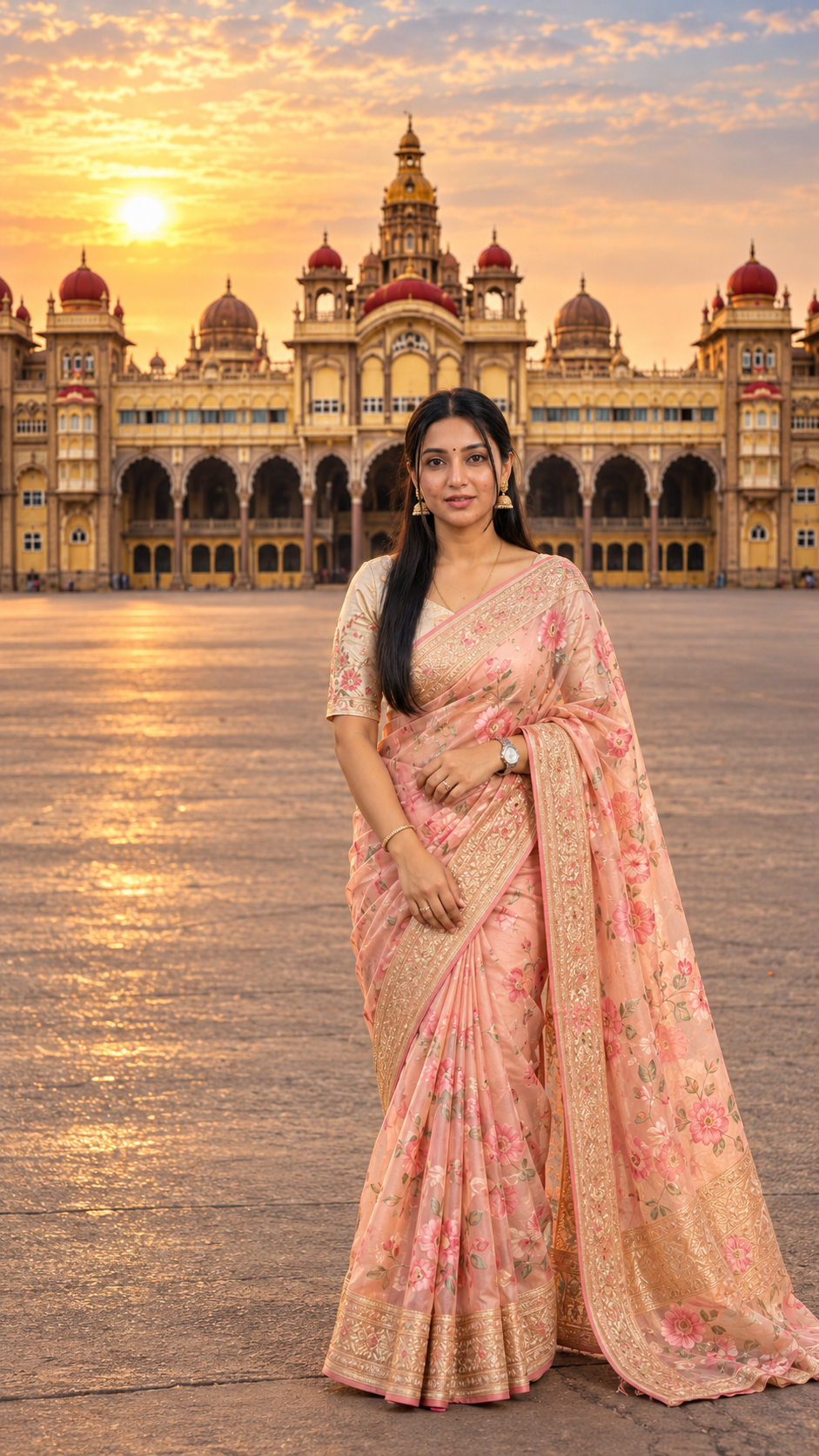
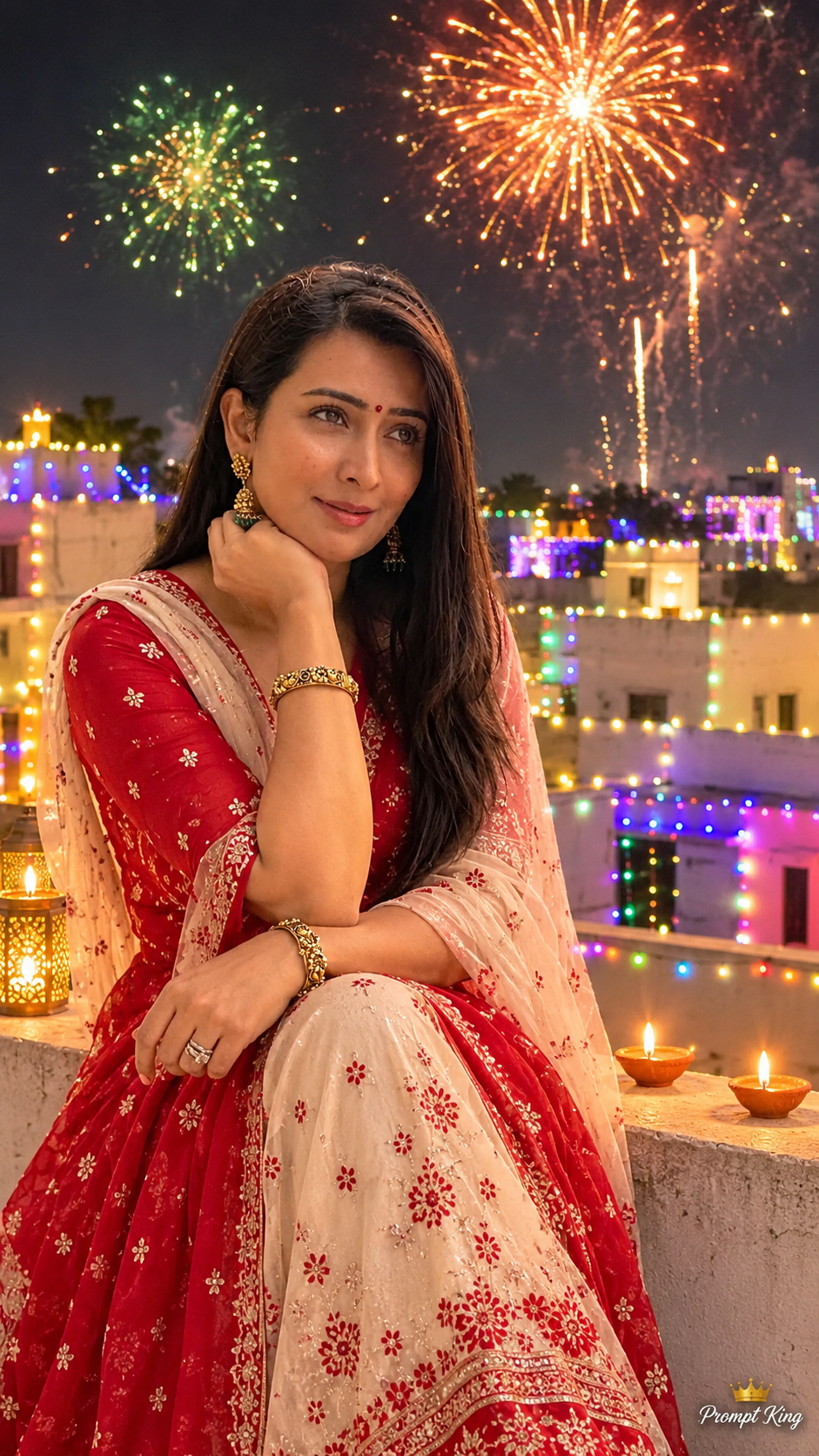
Create a breathtaking, ultra-photorealistic, premium cinematic **9:16 vertical full-body female fashion portrait in 8K-quality detail**, featuring a beautiful, stylish 29-year-old adult Indian woman wearing a luxurious pastel peach-pink floral Chanderi silk saree, standing gracefully in front of the magnificent **Mysore Palace, Karnataka, India**, during a beautiful golden sunrise.
The final image must resemble an expensive professional South Indian celebrity travel-fashion photoshoot captured on location at the REAL Mysore Palace, with authentic royal architecture, breathtaking sunrise lighting, sophisticated traditional saree styling, maximum facial identity consistency, realistic human proportions, and premium cinematic photographic quality.
━━━━━━━━━━━━━━━━━━━━━━━━━━━━
### 1. TWO UPLOADED REFERENCE IMAGES — EXTREMELY IMPORTANT
━━━━━━━━━━━━━━━━━━━━━━━━━━━━
**REFERENCE IMAGE A — ORIGINAL MYSORE PALACE LOCATION PHOTOGRAPH**
The user has uploaded or will upload a REAL PHOTOGRAPH of Mysore Palace, Karnataka, India.
Use this uploaded photograph as the PRIMARY and STRICT location, architectural, and environmental reference.
Faithfully preserve:
- The authentic Mysore Palace façade.
- The magnificent central palace tower and dome.
- Original symmetrical palace wings.
- Beautiful royal arches and decorative windows.
- Traditional red-toned palace domes.
- Ornate balconies and heritage stone carvings.
- Original Indo-Saracenic architectural style.
- Accurate palace proportions and recognizable silhouette.
- Authentic palace grounds and open foreground space.
- Real architectural geometry and natural perspective.
- Original building colors and realistic stone textures.
**CRITICAL ARCHITECTURE PRESERVATION RULE:**
The palace must look like the REAL Mysore Palace shown in the uploaded reference photograph.
Do not replace it with an imaginary palace, luxury hotel, European castle, temple, or fictional historical structure.
Do not modify, distort, stretch, or redesign the original architecture.
Keep the central dome, heritage towers, palace arches, and major architectural features clearly recognizable.
If the uploaded reference photograph was captured under different lighting conditions, preserve its authentic architecture while naturally changing the environment to beautiful early-morning golden sunlight.
**REFERENCE IMAGE B — WOMAN'S ORIGINAL FACE PHOTOGRAPH**
The user has uploaded or will upload an original portrait photograph of the woman.
Use this photograph as the PRIMARY and ONLY facial identity reference.
Strictly preserve her exact original:
- Recognizable facial identity.
- Natural face shape and facial proportions.
- Original eyes, eyebrows, nose, lips, cheeks, and jawline.
- Natural skin tone and realistic skin texture.
- Original hairline, hair color, and recognizable hairstyle characteristics.
- Distinctive facial features.
- Authentic age appearance.
- Natural smile and original facial expression characteristics.
**VERY IMPORTANT:**
The generated woman must look like the EXACT SAME PERSON shown in the uploaded facial reference photograph.
Do not replace her face with a generic AI-generated beautiful woman.
Do not artificially whiten her skin, enlarge her eyes, reshape her nose, change her jawline, modify her lips, or excessively beautify her face.
Maintain maximum facial identity consistency.
━━━━━━━━━━━━━━━━━━━━━━━━━━━━
### 2. PREMIUM NEW SAREE — PASTEL PEACH-PINK FLORAL AESTHETIC
━━━━━━━━━━━━━━━━━━━━━━━━━━━━
Dress the woman in a breathtaking **Pastel Peach-Pink Handwoven Chanderi Silk Saree**, creating a completely different fashion aesthetic from the previous peacock-blue Mysore silk, dusty-lavender tissue silk, deep burgundy Banarasi silk, and sage-green organza saree looks.
**SAREE DETAILS:**
- Luxurious pastel peach-pink Chanderi silk saree.
- Beautiful blush-pink and soft peach undertones.
- Delicate handwoven silk-cotton texture with natural fabric sheen.
- Elegant lightweight fabric with realistic folds and draping.
- Beautiful soft rose-pink floral motifs scattered across the saree.
- Delicate ivory and muted coral floral embroidery.
- Exquisite thin rose-gold zari border.
- Subtle traditional handwoven detailing.
- Beautifully arranged front saree pleats.
- Elegant full-length traditional saree silhouette.
- Gracefully draped pallu flowing naturally over the LEFT shoulder.
- Soft natural pallu movement from a gentle morning breeze.
- Authentic fabric weight and delicate texture.
- Tasteful, fully lined styling without excessive transparency.
**PREMIUM DESIGNER BLOUSE:**
- Beautiful ivory-cream raw-silk designer blouse.
- Elegant traditional round neckline.
- Refined elbow-length fitted sleeves.
- Delicate peach-pink floral thread embroidery on the sleeve borders.
- Subtle rose-gold detailing around the neckline.
- Premium realistic stitching and natural silk texture.
- Modest, sophisticated traditional styling.
**COLOR COMBINATION:**
Pastel peach pink + ivory cream + soft floral pink + delicate rose gold.
The saree must look luxurious, feminine, elegant, sophisticated, and naturally beautiful.
The pastel peach-pink tones should harmonize beautifully with the warm golden sunrise and the sandstone-cream architecture of Mysore Palace.
Avoid excessive bridal styling, heavy glitter, artificial shiny fabric, and oversized embroidery.
━━━━━━━━━━━━━━━━━━━━━━━━━━━━
### 3. ELEGANT MINIMAL JEWELLERY
━━━━━━━━━━━━━━━━━━━━━━━━━━━━
Enhance the woman's appearance with carefully selected premium traditional jewellery.
Include:
- Beautiful medium-sized rose-gold jhumka earrings with delicate pearl drops.
- Elegant minimal pearl necklace with a subtle rose-gold centerpiece.
- Thin traditional rose-gold bangles.
- One delicate pearl ring.
- Small tasteful peach-maroon bindi.
- Minimal refined accessories.
The jewellery must complement the pastel saree without overpowering the woman's original face.
Keep the overall styling graceful, expensive, and sophisticated.
Avoid oversized bridal necklaces, heavy temple jewellery, large waist belts, elaborate head ornaments, or excessive gold accessories.
The final fashion look should resemble a premium South Indian celebrity attending an elegant morning heritage event.
━━━━━━━━━━━━━━━━━━━━━━━━━━━━
### 4. BEAUTIFUL HAIRSTYLE AND NATURAL MAKEUP
━━━━━━━━━━━━━━━━━━━━━━━━━━━━
Preserve the woman's original recognizable hairstyle characteristics, natural hair color, hairline, and hair texture from the uploaded facial reference photograph.
For this sunrise portrait, create an elegant **soft half-up hairstyle with naturally flowing waves**, only if her original hair length and texture support it.
**HAIRSTYLE DETAILS:**
- Natural-looking soft hair waves.
- Gentle side part if suitable for the reference hairstyle.
- Beautiful flowing hair resting naturally over one shoulder.
- A small elegant pearl hair accessory.
- A few soft natural face-framing strands.
- Realistic individual hair strands.
- Gentle movement from the morning breeze.
Do not unnaturally change her hair length, hairline, density, or original texture.
If the uploaded hairstyle is short, preserve the original length and create a neat, elegant version of the same hairstyle instead.
**NATURAL SUNRISE MAKEUP:**
- Premium soft peach-toned makeup.
- Natural skin texture with visible realistic pores.
- Soft peach-pink blush.
- Delicate champagne eyeshadow.
- Naturally defined eyelashes.
- Thin soft-brown eyeliner.
- Beautiful nude-peach lipstick.
- Subtle natural highlights.
- Small elegant bindi.
The makeup must enhance her natural appearance without changing her original facial identity.
Avoid heavy contouring, excessive beauty filters, exaggerated eyelashes, artificial skin smoothing, or unrealistic skin whitening.
━━━━━━━━━━━━━━━━━━━━━━━━━━━━
### 5. GRACEFUL FEMALE POSE AND BODY LANGUAGE
━━━━━━━━━━━━━━━━━━━━━━━━━━━━
Position the woman standing naturally in the **RIGHT-CENTER FOREGROUND**, slightly off-center, allowing the magnificent Mysore Palace to remain clearly visible behind her.
**POSE DETAILS:**
- Complete full-body portrait from head to feet.
- Body facing slightly toward the camera.
- Face looking DIRECTLY into the camera.
- Beautiful subtle natural smile.
- Calm and confident facial expression.
- Elegant relaxed shoulders.
- Graceful natural posture.
- One hand gently holding the edge of her saree pallu near her waist.
- Other hand resting naturally beside her body.
- Naturally relaxed fingers.
- Beautifully arranged saree pleats.
- Soft natural pallu movement.
- Realistic body proportions.
- Elegant feminine body language.
The pose must feel spontaneous, graceful, natural, and professionally photographed.
She should look like a stylish South Indian woman enjoying a beautiful morning visit to Mysore Palace.
Do not create exaggerated fashion poses, unnatural hand gestures, or unrealistic body proportions.
Keep her complete body visible without cropping.
━━━━━━━━━━━━━━━━━━━━━━━━━━━━
### 6. MYSORE PALACE ARCHITECTURE — VERY IMPORTANT
━━━━━━━━━━━━━━━━━━━━━━━━━━━━
The magnificent Mysore Palace must remain a dominant and clearly recognizable architectural attraction.
**BACKGROUND REQUIREMENTS:**
- Authentic Mysore Palace façade.
- Magnificent central tower and dome.
- Beautiful original royal arches.
- Heritage windows and decorative balconies.
- Original red domes and architectural towers.
- Elegant symmetrical palace wings.
- Intricate historical carvings.
- Authentic stone textures.
- Beautiful palace grounds.
- Spacious outdoor walking area.
- Realistic architectural scale.
- Soft early-morning sunlight illuminating the palace.
**CRITICAL:**
Preserve the REAL Mysore Palace structure shown in the uploaded location reference photograph.
Do not invent additional towers, windows, domes, fountains, statues, or decorative structures.
Keep the palace sharp and clearly recognizable.
Do not blur the building excessively.
Preserve the central tower completely.
Keep the woman positioned so that she does not block the palace's most important architectural features.
For the vertical 9:16 frame, move the virtual camera sufficiently far back to include the complete palace façade where geometrically possible without stretching or distorting the architecture.
Prioritize accurate proportions and a clearly recognizable palace over artificial full-width stretching.
━━━━━━━━━━━━━━━━━━━━━━━━━━━━
### 7. BEAUTIFUL GOLDEN SUNRISE ATMOSPHERE
━━━━━━━━━━━━━━━━━━━━━━━━━━━━
Create a breathtaking yet realistic early-morning golden sunrise environment at Mysore Palace.
**LIGHTING DETAILS:**
- Beautiful warm early-morning sunlight.
- Soft golden light falling naturally across the palace façade.
- Gentle sunrise rays illuminating the royal architectural details.
- Delicate golden rim lighting around the woman's hair and shoulders.
- Natural warm highlights across the peach-pink saree.
- Beautiful controlled reflections on the rose-gold zari border.
- Soft long morning shadows on the palace grounds.
- Fresh, clear early-morning atmosphere.
- Beautiful pale-blue sky with delicate golden undertones.
- Very subtle natural morning haze where appropriate.
- Natural depth and physically accurate lighting.
**IMPORTANT:**
The scene must look like a genuine early-morning photograph.
Do not turn the sky into an artificial fantasy sunset.
Do not add excessive orange glow, strong sun flares, unrealistic light rays, or heavy cinematic haze.
The lighting must feel soft, natural, premium, and believable.
━━━━━━━━━━━━━━━━━━━━━━━━━━━━
### 8. CAMERA AND PROFESSIONAL COMPOSITION
━━━━━━━━━━━━━━━━━━━━━━━━━━━━
**Aspect Ratio:** STRICT 9:16 Vertical.
**Camera:** Professional full-frame DSLR.
**Lens:** 24–35mm environmental portrait lens with natural perspective correction.
**Photography Style:** Premium South Indian celebrity travel-fashion photography.
**Shot Type:** Full-body outdoor saree portrait.
**Camera Angle:** Natural eye-level with slightly low perspective.
**COMPOSITION:**
- Woman standing gracefully in the RIGHT-CENTER FOREGROUND.
- Mysore Palace clearly visible in the background.
- Central dome and major heritage towers visible.
- Beautiful natural sunrise sky above the palace.
- Complete saree silhouette from head to feet.
- Beautiful pallu draping visible.
- Elegant front saree pleats.
- Realistic body proportions.
- Natural subject scale.
- Beautiful depth separation between woman and architecture.
- Realistic stone pavement in the foreground.
- Professionally balanced negative space.
**VERY IMPORTANT:**
The woman must remain clearly recognizable, while the authentic Mysore Palace architecture stays visually prominent.
Do not make the woman excessively large.
Do not crop her head, body, saree hem, or feet.
The final framing should look spacious, luxurious, sophisticated, and naturally photographed.
━━━━━━━━━━━━━━━━━━━━━━━━━━━━
### 9. FOOTWEAR AND INDOOR BAREFOOT RULE
━━━━━━━━━━━━━━━━━━━━━━━━━━━━
Because this specific concept is an OUTDOOR sunrise portrait on the palace grounds, the woman may wear elegant traditional footwear.
**OUTDOOR FOOTWEAR:**
- Premium nude-beige traditional flat sandals.
- Minimal delicate straps.
- Elegant design that complements the peach-pink saree.
- Realistic natural proportions.
- Comfortable and culturally appropriate appearance.
The footwear must remain subtle and secondary to the saree.
**STRICT INDOOR RULE:**
If the setting is changed to any indoor Mysore Palace area where footwear is prohibited, the woman must be completely BAREFOOT.
Do not generate shoes, sandals, slippers, high heels, socks, or chappals inside the palace.
For this CURRENT outdoor sunrise concept, retain the elegant nude-beige sandals.
━━━━━━━━━━━━━━━━━━━━━━━━━━━━
### 10. PREMIUM CINEMATIC LIGHTING AND COLOR GRADING
━━━━━━━━━━━━━━━━━━━━━━━━━━━━
Use professional, physically believable sunrise lighting.
Include:
- Beautiful soft golden sunlight from one natural direction.
- Gentle warm highlights across the woman's face.
- Realistic shadows beneath her feet.
- Natural peach-pink fabric reflections.
- Subtle rose-gold zari highlights.
- Realistic pearl jewellery reflections.
- Delicate warm rim lighting on the hair.
- Soft atmospheric depth around the palace.
- Balanced exposure preserving palace carvings and fabric textures.
**COLOR PALETTE:**
- Soft peach pink.
- Ivory cream.
- Rose gold.
- Warm sunrise gold.
- Natural sandstone.
- Pale morning blue.
The colors must look sophisticated and cinematic without becoming oversaturated.
The woman's face must maintain natural skin tones and original facial details.
Avoid artificial beauty lighting, excessive HDR, unnatural orange skin tones, and overexposed palace architecture.
━━━━━━━━━━━━━━━━━━━━━━━━━━━━
### 11. ULTRA-PHOTOREALISTIC IMAGE QUALITY
━━━━━━━━━━━━━━━━━━━━━━━━━━━━
Render the final image with breathtaking professional photographic quality.
Include:
- Ultra-photorealistic 8K-quality visual detail.
- Maximum facial identity consistency.
- Natural skin pores and realistic facial texture.
- Individual hair strands.
- Realistic soft flowing hair.
- Authentic Chanderi silk fabric details.
- Beautiful handwoven floral saree patterns.
- Intricate rose-gold zari embroidery.
- Natural saree folds and accurate fabric weight.
- Realistic blouse tailoring.
- Correct human anatomy.
- Natural hand and finger details.
- Realistic feet and footwear.
- Physically accurate sunrise shadows.
- Accurate Mysore Palace architecture.
- Detailed stone carvings and heritage textures.
- Premium cinematic HDR photographic exposure.
- Beautiful natural color grading.
The final result must resemble a genuine luxury South Indian celebrity traditional-fashion photoshoot captured on location at Mysore Palace during sunrise.
Avoid illustration, CGI appearance, fantasy effects, artificial compositing, and unrealistic photographic textures.
━━━━━━━━━━━━━━━━━━━━━━━━━━━━
### 12. PREMIUM PROMPT KING SIGNATURE
━━━━━━━━━━━━━━━━━━━━━━━━━━━━
Add a small, elegant white handwritten-style **"Prompt King"** signature with a tiny crown symbol in the BOTTOM-LEFT CORNER.
The signature must be:
- Small and sophisticated.
- Elegant handwritten typography.
- Clearly readable.
- Beautifully proportioned.
- Premium and subtle.
- Non-distracting.
Do not add any other captions, fake logos, or unnecessary text.
━━━━━━━━━━━━━━━━━━━━━━━━━━━━
### 13. STRICT NEGATIVE PROMPT
━━━━━━━━━━━━━━━━━━━━━━━━━━━━
Avoid altered facial identity, generic AI female face, incorrect hairstyle, modified facial features, artificial skin whitening, excessive face smoothing, exaggerated makeup, distorted eyes, unnatural body proportions, exaggerated curves, extra limbs, extra fingers, deformed hands, unnatural saree pleats, floating pallu, unrealistic silk fabric, excessive transparency, synthetic fabric appearance, heavy bridal jewellery, incorrect saree colors, distorted feet, cropped footwear, cropped saree hem, incorrect Mysore Palace architecture, imaginary palace structures, extra domes, missing towers, distorted arches, poor architectural perspective, excessive background blur, artificial sunrise colors, overexposed sunlight, unrealistic sky, excessive orange glow, strong artificial lens flares, cartoon effects, illustration, CGI appearance, poor subject-background blending, duplicated subjects, oversized watermark, and garbled text.
━━━━━━━━━━━━━━━━━━━━━━━━━━━━
### 14. FINAL OUTPUT — STRICT REQUIREMENTS
━━━━━━━━━━━━━━━━━━━━━━━━━━━━
Create a breathtaking, ultra-photorealistic **9:16 vertical full-body cinematic portrait of the ORIGINAL REFERENCE WOMAN**, standing gracefully in front of the magnificent REAL Mysore Palace, Karnataka, during a beautiful golden sunrise.
She wears a luxurious pastel peach-pink floral Chanderi silk saree with delicate rose-gold zari embroidery, an elegant ivory designer blouse, refined pearl jewellery, and sophisticated natural makeup.
Her original hairstyle characteristics and facial identity are carefully preserved, with soft feminine styling suitable for the sunrise atmosphere.
She stands in the RIGHT-CENTER FOREGROUND, looking directly toward the camera with a beautiful subtle natural smile, gently holding her flowing saree pallu.
Behind her, the authentic Mysore Palace architecture is clearly visible, beautifully illuminated by soft golden morning sunlight beneath a pale-blue sunrise sky.
Use the uploaded Mysore Palace location photograph as the PRIMARY and STRICT architectural reference, and the uploaded woman's portrait as the ONLY facial identity reference.
Preserve her original recognizable facial appearance, authentic Mysore Palace architecture, realistic body proportions, natural saree draping, premium sunrise lighting, and professional photographic realism.
Finish with a small elegant white handwritten **"Prompt King"** signature with a tiny crown symbol in the bottom-left corner.