Onam Saree Motion Blur Portrait With Jasmine Bun
About this prompt
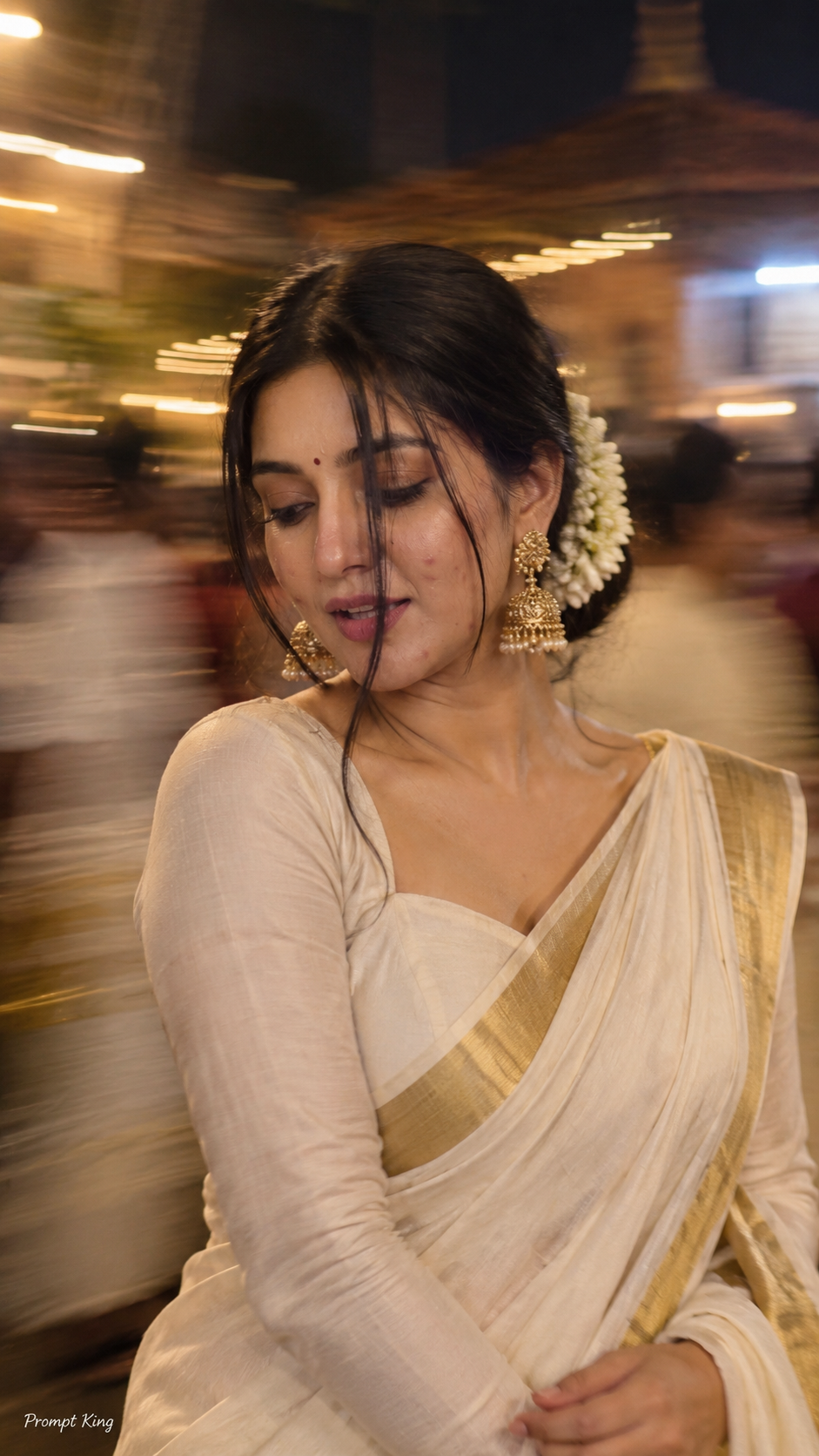
This prompt creates an intentionally artistic motion-blur portrait that looks as if it was shot with a long exposure or a smartphone in low light. The woman wears an Onam-style saree with a matching full-sleeve blouse, her hair styled in a loose braided low bun decorated with jasmine flowers, and a long face-framing strand partly covering one side of her face. She looks down and to the side with one eye mostly hidden, lips slightly parted, giving a dreamy, reflective mood. Large statement gold earrings, soft peach blush, subtle highlighter, defined lashes and matte dusty-rose lips complete the look. The prompt keeps the framing modest and asks that your face stays exactly as in your reference photo. The output is a natural-looking 9:16 vertical image. This idea fits Onam greetings, Kerala-themed festival posts, a creative profile picture, or an artistic photo series. The blur is deliberate, so expect soft edges and streaks rather than pin-sharp detail; use a clear reference so the face still reads well through the effect.
Lighting, colour and composition
Soft, low ambient light combined with deliberate motion blur creates streaky highlights and a dreamy softness. The palette centres on the cream and gold of a kasavu saree, warm skin, jasmine white and dusty rose. A close, slightly tilted crop with hair across the face gives an intimate, editorial composition.
Ways to make it your own
- Reduce the motion blur to 'subtle' if you want the face to stay sharper.
- Replace the Onam saree with a red silk saree for Diwali or wedding season.
- Pin the face-framing strand back if you want both eyes visible.
Best for
Trending photo ideas and creative portrait inspiration.
Suggested framing
Use 9:16 portrait framing as described in the prompt, or adapt to 4:5 for feed posts.
Customization ideas
Adjust the clothing, background, lighting, colors and composition to match your own idea.
How to use
Copy the prompt, adapt it to your idea, and paste it into your preferred compatible AI tool. Follow that tool’s instructions for reference photos.
A few helpful answers.
What type of image does this prompt create?
In a compatible AI tool, this prompt is intended as a starting point for this prompt creates an intentionally artistic motion-blur portrait that looks as if it was shot with a long exposure or a smartphone in low light. The woman wears an Onam-style saree with a matching full-sleeve blouse, her hair styled in a loose braided low bun decorated with jasmine flowers, and a long face-framing strand partly covering one side of her face. She looks down and to the side with one eye mostly hidden, lips slightly parted, giving a dreamy, reflective mood. Large statement gold earrings, soft peach blush, subtle highlighter, defined lashes and matte dusty-rose lips complete the look. The prompt keeps the framing modest and asks that your face stays exactly as in your reference photo. The output is a natural-looking 9:16 vertical image. This idea fits Onam greetings, Kerala-themed festival posts, a creative profile picture, or an artistic photo series. The blur is deliberate, so expect soft edges and streaks rather than pin-sharp detail; use a clear reference so the face still reads well through the effect. Results depend on the tool, settings and references you use.
Can I customize the clothing or background?
Yes. Replace the clothing, setting or colors in the prompt with your own choices. Keep descriptions consistent and adjust one detail at a time.
What aspect ratio works best?
Start with Use 9:16 portrait framing as described in the prompt, or adapt to 4:5 for feed posts.. A 4:5 ratio works well for a portrait feed post. Adjust the crop for your intended platform and your tool’s available settings.
Does Prompt King generate the image?
No. Prompt King helps users discover and copy prompts that can be used with compatible AI tools.
Can I use this for social media ideas?
Yes. Use it as creative inspiration and customize the result for your audience. Use photos you have permission to upload, and check your chosen tool’s terms before publishing.