Moody Teal Forest Fog Effect For Outdoor Photos
About this prompt
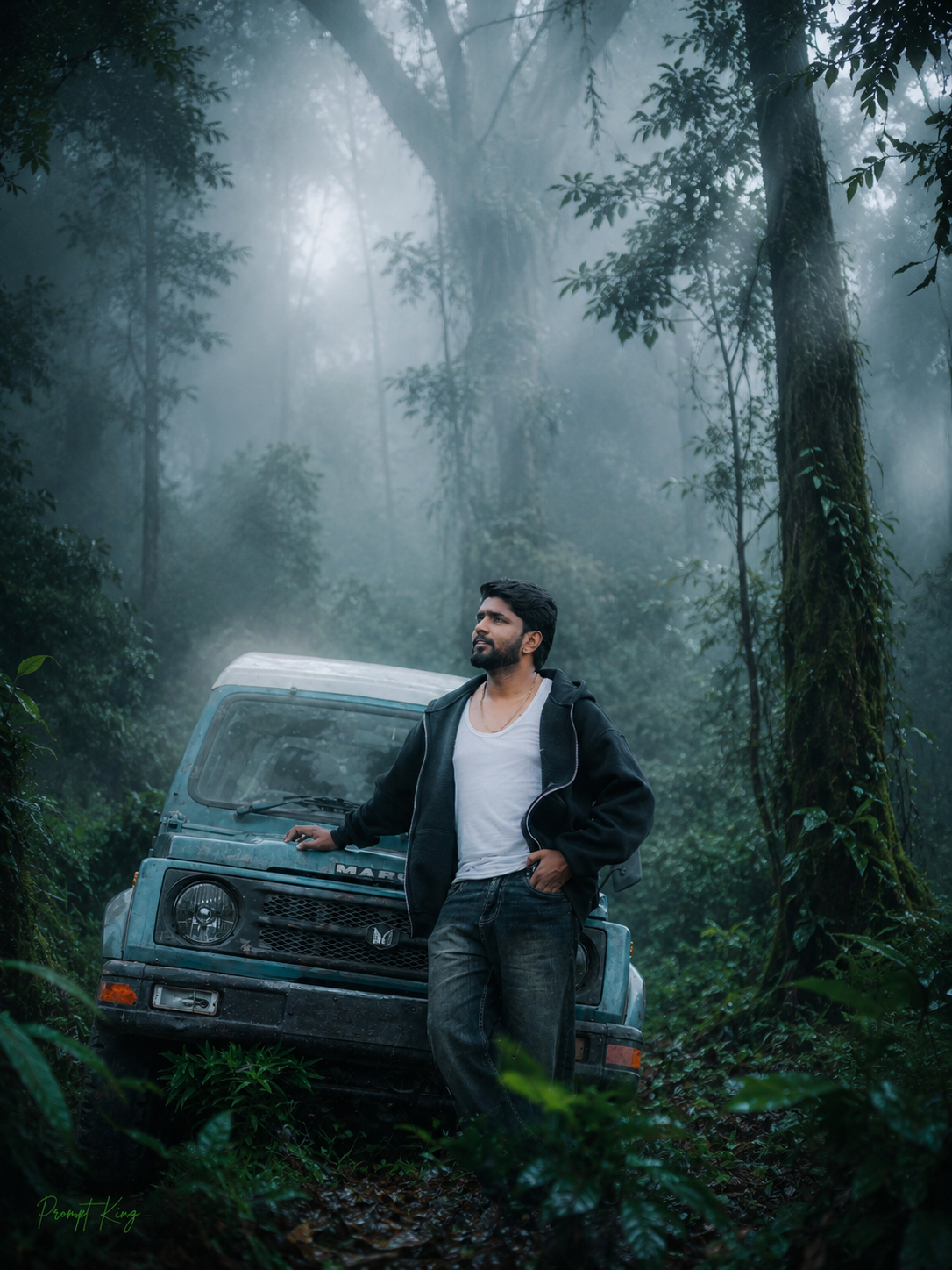
This prompt gives any outdoor photo a moody, cinematic forest makeover. It adds thick natural fog across the frame, deepens the greens into emerald, teal and moss, and adds earthy brown tones to tree trunks and ground. Vegetation is enhanced to look fuller, and subtle beams of light slip through gaps in the mist, adding depth and drama. The prompt also raises detail and clarity with HDR-style dynamic range, cleaner shadows and controlled highlights, aiming for a realistic photograph from a cold, misty morning rather than a heavy filter. It is particularly useful for men's portraits, bike or trekking photos, road trip shots on ghat roads, and travel pictures from forests, waterfalls or hill stations. The darker, cooler tones give a quiet, introspective mood that works well for profile pictures, wallpaper-style images, music or poetry backgrounds, and monsoon-season posts. Because it edits the environment rather than redrawing the subject, people in the photo stay recognisable. Starting with a well-exposed image in natural light keeps the fog realistic.
Lighting, colour and composition
Diffused morning light filtered through heavy fog keeps shadows soft, with faint light shafts for drama. The palette leans cool: dark teal, emerald and moss green with brown earth and grey-white mist. Fog layers separate foreground, subject and background, giving strong atmospheric depth.
Ways to make it your own
- Try this on trekking or bike trip photos taken on forest roads for a natural fit.
- Ask for cooler blue-grey tones if you want a darker, rainy-season mood.
- Keep the subject sharp by asking for lighter fog in the foreground.
Best for
Trending photo ideas and creative portrait inspiration.
Suggested framing
Use 9:16 portrait framing as described in the prompt, or adapt to 4:5 for feed posts.
Customization ideas
Adjust the clothing, background, lighting, colors and composition to match your own idea.
How to use
Copy the prompt, adapt it to your idea, and paste it into your preferred compatible AI tool. Follow that tool’s instructions for reference photos.
A few helpful answers.
What type of image does this prompt create?
In a compatible AI tool, this prompt is intended as a starting point for this prompt gives any outdoor photo a moody, cinematic forest makeover. It adds thick natural fog across the frame, deepens the greens into emerald, teal and moss, and adds earthy brown tones to tree trunks and ground. Vegetation is enhanced to look fuller, and subtle beams of light slip through gaps in the mist, adding depth and drama. The prompt also raises detail and clarity with HDR-style dynamic range, cleaner shadows and controlled highlights, aiming for a realistic photograph from a cold, misty morning rather than a heavy filter. It is particularly useful for men's portraits, bike or trekking photos, road trip shots on ghat roads, and travel pictures from forests, waterfalls or hill stations. The darker, cooler tones give a quiet, introspective mood that works well for profile pictures, wallpaper-style images, music or poetry backgrounds, and monsoon-season posts. Because it edits the environment rather than redrawing the subject, people in the photo stay recognisable. Starting with a well-exposed image in natural light keeps the fog realistic. Results depend on the tool, settings and references you use.
Can I customize the clothing or background?
Yes. Replace the clothing, setting or colors in the prompt with your own choices. Keep descriptions consistent and adjust one detail at a time.
What aspect ratio works best?
Start with Use 9:16 portrait framing as described in the prompt, or adapt to 4:5 for feed posts.. A 4:5 ratio works well for a portrait feed post. Adjust the crop for your intended platform and your tool’s available settings.
Does Prompt King generate the image?
No. Prompt King helps users discover and copy prompts that can be used with compatible AI tools.
Can I use this for social media ideas?
Yes. Use it as creative inspiration and customize the result for your audience. Use photos you have permission to upload, and check your chosen tool’s terms before publishing.