Ivory Silk Saree Namaste Before the Adiyogi Statue
About this prompt
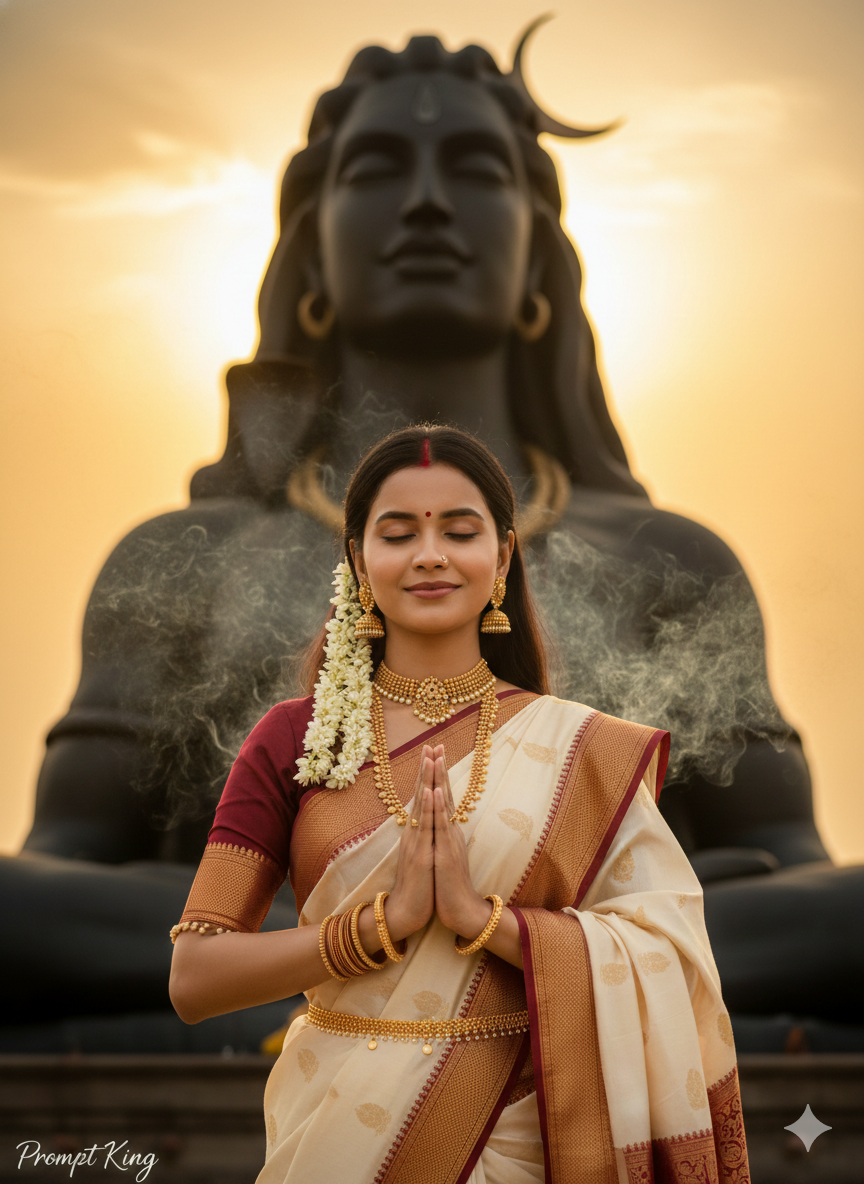
This prompt turns your reference photo into a realistic devotional portrait of a young Indian woman praying in front of the Adiyogi Shiva statue in Coimbatore, Tamil Nadu. She wears a flowing ivory silk saree with a deep maroon border and subtle gold zari work, styled with heavy temple jewellery: a gold choker, layered haar, jhumkas, bangles, a kamarbandh and a red bindi. Her hair is left open and decorated with jasmine flowers. She stands with hands joined in namaste and eyes closed peacefully, while the towering Adiyogi statue rises clearly behind her under a golden sunset sky. Soft incense smoke drifts through the air, adding to the spiritual atmosphere. Cinematic lighting gives the scene depth and warmth. The combination of a recognisable pilgrimage site and classic South Indian bridal-style styling makes the portrait feel both personal and meaningful. It suits Maha Shivaratri greetings, pilgrimage memories, travel posts from Tamil Nadu and traditional profile pictures for women who love silk sarees and temple jewellery.
Lighting, colour and composition
Golden sunset light gives the saree and jewellery a warm sheen, with the statue silhouetted against a glowing sky. The palette is ivory, maroon and gold with dark statue tones. She stands centred in the foreground, with the statue directly behind her for strong vertical alignment.
Ways to make it your own
- Change the saree to red or green Kanjeevaram for a brighter festive look.
- Ask for a night scene with the statue lit up for a Maha Shivaratri evening feel.
- Use a 9:16 frame so the full height of the statue fits behind her.
Best for
Girls photo ideas and creative portrait inspiration.
Suggested framing
Use 9:16 portrait framing as described in the prompt, or adapt to 4:5 for feed posts.
Customization ideas
Adjust the clothing, background, lighting, colors and composition to match your own idea.
How to use
Copy the prompt, adapt it to your idea, and paste it into your preferred compatible AI tool. Follow that tool’s instructions for reference photos.
A few helpful answers.
What type of image does this prompt create?
In a compatible AI tool, this prompt is intended as a starting point for this prompt turns your reference photo into a realistic devotional portrait of a young Indian woman praying in front of the Adiyogi Shiva statue in Coimbatore, Tamil Nadu. She wears a flowing ivory silk saree with a deep maroon border and subtle gold zari work, styled with heavy temple jewellery: a gold choker, layered haar, jhumkas, bangles, a kamarbandh and a red bindi. Her hair is left open and decorated with jasmine flowers. She stands with hands joined in namaste and eyes closed peacefully, while the towering Adiyogi statue rises clearly behind her under a golden sunset sky. Soft incense smoke drifts through the air, adding to the spiritual atmosphere. Cinematic lighting gives the scene depth and warmth. The combination of a recognisable pilgrimage site and classic South Indian bridal-style styling makes the portrait feel both personal and meaningful. It suits Maha Shivaratri greetings, pilgrimage memories, travel posts from Tamil Nadu and traditional profile pictures for women who love silk sarees and temple jewellery. Results depend on the tool, settings and references you use.
Can I customize the clothing or background?
Yes. Replace the clothing, setting or colors in the prompt with your own choices. Keep descriptions consistent and adjust one detail at a time.
What aspect ratio works best?
Start with Use 9:16 portrait framing as described in the prompt, or adapt to 4:5 for feed posts.. A 4:5 ratio works well for a portrait feed post. Adjust the crop for your intended platform and your tool’s available settings.
Does Prompt King generate the image?
No. Prompt King helps users discover and copy prompts that can be used with compatible AI tools.
Can I use this for social media ideas?
Yes. Use it as creative inspiration and customize the result for your audience. Use photos you have permission to upload, and check your chosen tool’s terms before publishing.