
How to Fix AI Distortion, Bad Hands & Plastic Skin with Negative Prompts
Eliminate bad hands, extra fingers, uncanny plastic skin, and anatomical distortion in AI photography. Learn master negative prompt syntax, camera optics, and latent-space control across Midjourney, Flux, and Gemini.
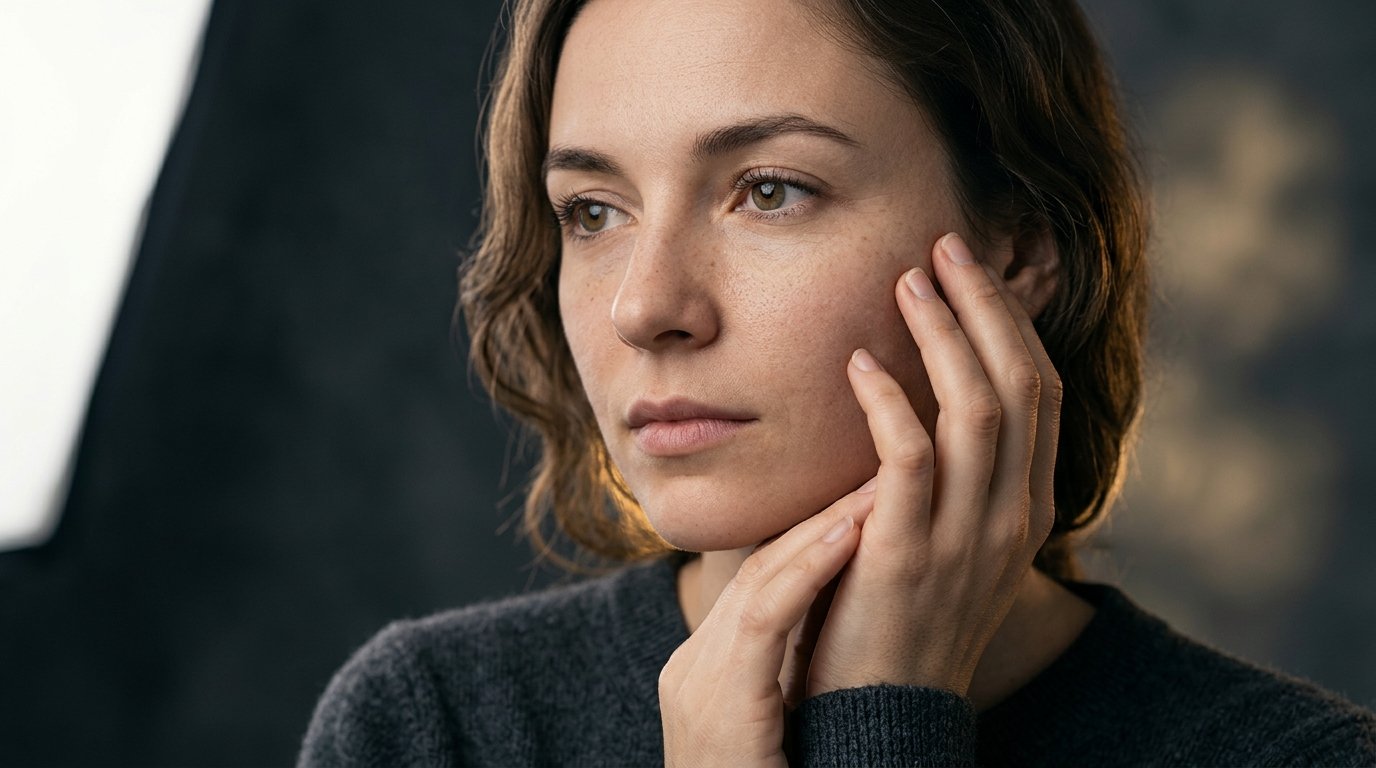
Nothing shatters the illusion of a photorealistic AI portrait faster than a sixth finger sprouting from a palm, a melted knuckle joint, or mannequin-smooth porcelain skin that looks like polished polyvinyl chloride. Despite monumental generational leaps in diffusion architectures—from the pioneering days of Stable Diffusion 1.5 to Midjourney v6.1, Google Imagen 3, and Black Forest Labs' Flux.1—anatomical anomalies and cosmetic over-smoothing remain the two most pervasive bottlenecks in professional AI photography workflows.
The instinct of many prompt creators is to fight distortion by piling on quality buzzwords: 'anatomically correct hands,' 'perfect fingers,' 'ultra photorealistic skin,' or '8K hyper-detailed pores.' Unfortunately, generative diffusion models do not think in conceptual platitudes. In latent space, a neural network synthesizes pixels based on statistical token associations and cross-attention maps. Repeating 'hands' or 'fingers' in your positive prompt often draws excessive attention to those coordinates, paradoxically increasing the mathematical probability that the model hallucinates extra digits, duplicated joints, or fused appendages.
Solving distortion requires an engineered, systematic approach that addresses both sides of the generation equation: positive anatomical grounding through physical context, and negative conditioning to steer the denoising vector away from synthetic artifacts. By mastering negative prompt syntax, negative token weights, optical focal length compensation, and hand-posing physics, you can transform mangled, waxy renders into razor-sharp, museum-grade photographs indistinguishable from medium-format camera captures.
This comprehensive masterclass provides a deep-dive technical diagnosis of why generative AI fails at human anatomy, how negative conditioning operates mathematically inside diffusion models, and practical copy-and-paste formulas across Midjourney, Flux.1, and Google Gemini to permanently cure bad hands, facial warping, and plastic skin.
Why AI generates malformed hands, extra limbs, and plastic skin
To solve anatomical failure, one must understand how diffusion models conceptualize human figures. During training, vision models ingest millions of 2D images projected onto flat pixel planes. A human face is relatively predictable: two eyes, one nose, and one mouth situated in a fixed geometric arrangement regardless of slight head turns. In stark contrast, human hands are extraordinarily complex mechanical articulated systems capable of 27 degrees of freedom. In physical reality, hands are frequently occluded: fingers wrap around coffee cups, rest inside pockets, curl into fists, tuck behind backs, or foreshorten dramatically toward the lens. Because the training datasets contain countless photos of partially obscured fingers, the diffusion model often treats 'hand' as an ambiguous cluster of knuckles and fleshy cylinders without an inherent understanding of rigid skeletal counting. Furthermore, default training loss curves reward smooth noise reduction, which encourages models to eliminate micro-textures—resulting in airbrushed, plastic skin unless explicitly instructed to retain high-frequency dermal noise.
Diffusion latent space & neural attention: The mathematical root cause
Generative image models operate through iterative denoising inside a compressed mathematical representation known as latent space. In a standard text-to-image architecture, cross-attention layers calculate attention weights between your text tokens and spatial latent patches. When your prompt lacks specific anatomical constraints, the attention map for the subject's limbs spreads diffusely across adjacent pixels. If noise patterns during early denoising steps resemble a finger-like shape, the model's predictive head reinforces that structure, resulting in polydactyly (six or seven fingers) or syndactyly (webbed digits). Similarly, plastic skin occurs because deep convolutional and transformer layers tend to smooth out high-frequency spatial frequencies (like individual pores, peach fuzz vellus hair, and sebum sheen) in favor of low-frequency tonal gradients that represent general face geometry. Negative prompts mathematically invert this trajectory: by calculating a negative conditioning vector, the denoising process actively subtracts the probabilities of synthetic smoothing and distorted geometry at every inference step.
The anatomy of a negative prompt: How negative conditioning works
In Classifier-Free Guidance (CFG), the diffusion engine computes two separate noise predictions during each inference step: an unconditional prediction (or negative prompt prediction) and a conditioned prediction based on your positive prompt. The formula for the final denoising vector is calculated as: Output = Unconditional + Guidance Scale * (Conditioned - Unconditional). When you supply a negative prompt—such as 'plastic skin, airbrushed, 3d render, extra fingers'—the model projects the latents away from the visual tokens present in the negative list. The guidance scale dictates how aggressively the engine repels those unwanted attributes. If your CFG scale is too low (e.g., 2.0 to 3.5), the negative prompt will have little steering power, allowing plastic skin and mutant fingers to slip through. If your CFG is tuned too high (above 10.0), the mathematical subtraction causes high-contrast fry, pixel artifacts, and oversaturated color banding. The sweet spot for photorealistic anatomy lies between 5.0 and 7.5 in SD/Flux ecosystems.
Universal negative prompt syntax across major AI engines
Different AI platforms implement negative conditioning through distinct syntactic conventions. In **Stable Diffusion (A1111, ComfyUI, Forge)**, negative prompts have a dedicated input box where you can adjust token weights using parentheses: `(bad hands:1.3), (extra fingers:1.2), (airbrushed:1.4)`. In **Midjourney**, negative prompting is handled via the `--no` parameter at the end of the prompt: `--no extra fingers, mutated hands, plastic skin, airbrush, cartoon, oversaturated, deformed digits`. In Midjourney, individual negative terms can also receive relative weights, such as `--no fingers::-0.5` or multi-token weighting. In **Flux.1 (Schnell and Dev)**, standard base checkpoints do not support classical negative prompts out of the box because Flux operates via flow matching rather than traditional score-based diffusion; however, specialized ComfyUI workflows and fine-tuned Flux models utilize CFG-guided negative conditioning nodes. In **Google Gemini (Imagen 3)**, negative conditioning is achieved primarily through descriptive natural language negation in the system context, such as 'Avoid smooth waxy surfaces, avoid oversmoothed skin, depict completely natural hands with exactly five distinct fingers.'
Eliminating plastic and waxy skin: Unlocking pores, peach fuzz, and micro-texture
The 'Midjourney look'—often mocked as radiant plastic porcelain—stems from aggressive denoising and aesthetic curation in the base model weights. To eradicate this artificial waxiness, you must replace generic quality words with physical photographic and dermatological terms. In your positive prompt, explicitly request: 'natural epidermal skin texture, visible fine pores, subtle skin imperfections, slight subsurface scattering, natural sebum shine on T-zone, fine facial peach fuzz (vellus hair), unretouched raw 35mm film grain.' In your negative prompt or `--no` parameter, aggressively ban cosmetic filtering: 'plastic skin, smooth mannequin, airbrushed, porcelain finish, wax doll, CGI render, digital art, blur, oversmoothed cheekbones.' In Midjourney v6.1, pairing these negative tokens with the `--style raw` flag is non-negotiable; `--style raw` lowers the model's internal aesthetic bias and unlocks genuine camera sensor grain.
Hand prompt engineering: Physical context, grip physics, and occlusion tactics
The single most effective secret to fixing AI hands is not a 50-word negative prompt—it is **giving the hands something physical to do**. When an AI model is asked to render 'a person standing with hands visible,' the hands float in empty space with zero physical constraints, maximizing the probability of chaotic finger synthesis. But when you anchor the hands to real-world physical objects, the model draws upon millions of training images of purposeful human interaction. Instead of prompting 'hands held up,' prompt: 'hands tightly gripping a textured vintage ceramic coffee mug,' 'delicate fingers adjusting the collar of an Italian wool trench coat,' 'hands holding a leather-bound notebook with natural knuckle curvature,' or 'hands relaxed inside tailored trousers pockets.' When hands interact with tools, fabrics, or surfaces, the physical geometry of the object forces the latent space to conform to believable grip physics, drastically eliminating stray digits and mangled joints.
Fixing uncanny eyes, asymmetrical pupils, and cross-eyed hallucinations
Secondary to bad hands is the uncanny valley of AI eyes: mismatched pupil dilations, irregular irises, wandering strabismus, and glassy painted reflections. This distortion occurs when the face occupies too few pixels in a wide-angle composition, leaving the diffusion model insufficient latent resolution to synthesize intricate corneal anatomy. To solve eye distortion: 1. **Specify corneal catchlights**: Prompt 'sharp specular eye catchlights reflected from a softbox key light, realistic iris striations, crisp dark limbal rings.' 2. **Specify focal gaze direction**: Never leave gaze unspecified; prompt 'direct piercing eye contact locked onto the camera lens' or 'gazing thoughtfully 15 degrees off-camera.' 3. **Negative prompt eye defects**: Add 'asymmetrical pupils, cross-eyed, strabismus, cloudy irises, mismatched eye colors, deformed pupils, plastic glassy gaze.' 4. **Use close-up or medium-close framing**: If you need exquisite eye realism, shoot from 85mm or 105mm at bust level to allocate maximum latent resolution to the facial features.
Clothing, fabric folds, and avoiding anatomical melt and fusion
Anatomical distortion frequently extends to where human skin meets fabrics, jewelry, and environmental props. In poorly constrained prompts, an earring will melt into a neck tendon, spectacles will fuse into cheekbones, or shirt sleeves will dissolve into forearms. To prevent anatomical fusion: 1. Detail the physical boundaries: 'crisp tailored garment edges cleanly separated from skin, high-thread-count cotton weave with authentic tactile texture.' 2. Negate fusion artifacts: 'fused clothing, clothing melting into skin, morphed jewelry, deformed collarbones, warped seams, asymmetrical shoulders.' 3. Define layer depths: When prompting complex outfits (such as traditional Indian sherwanis, layered winter parkas, or structured suits), describe the layers sequentially from base to outer shell ('crisp white poplin dress shirt underneath a structured charcoal wool blazer') so the attention mechanism understands spatial occlusion.
Camera science to counter distortion: Focal lengths, barrel distortion, and perspective
Much of what creators blame on 'AI hallucinations' is actually authentic wide-angle optical distortion faithfully simulated by the model. A real 24mm or 28mm camera lens produces perspective distortion (barrel distortion and perspective foreshortening) that inflates features closest to the glass—making noses look bulbous, hands massive, and shoulders stretched. When prompt creators ask for a wide shot, the AI correctly reproduces this foreshortening, but because AI anatomy is fragile, the foreshortened hands turn into grotesque claws. To eliminate perspective distortion: 1. Choose flattering portrait optics: Prompt with 'shot on 85mm f/1.4 telephoto lens' or '105mm f/2.0 macro lens.' Telephoto lenses compress perspective, flatten facial features into classical harmonic proportions, and preserve realistic anatomical scale. 2. Control subject-to-camera distance: Specify 'medium portrait, waist-up composition' rather than ultra-wide full-body shots when hand fidelity is paramount.
Model-specific strategies: Midjourney v6.1 vs Flux.1 vs Gemini Imagen 3
Every foundational model requires a customized troubleshooting strategy. **Midjourney v6.1**: Excels with multi-negative tokens using `--no`. Essential syntax: `--no extra fingers, mutated hands, plastic skin, airbrushed, cartoon, deformed digits, bad anatomy --style raw --v 6.1`. If hands still fail, use Midjourney's 'Vary (Region)' inpainting tool to highlight just the hand and re-prompt with 'a hand holding a fountain pen.' **Flux.1 (Dev & Schnell)**: Flux possesses the strongest natural-language spatial comprehension in modern AI. Rather than relying on negative lists, Flux responds best to positive anatomical grounding: 'A high-resolution photograph capturing five distinct, anatomically accurate fingers with realistic fingernails, natural skin pores, and authentic joint creases.' **Google Gemini (Imagen 3)**: Imagen 3 possesses strict built-in safety and aesthetic guardrails. Avoid technical coding tags; instead, write concise negative guidelines in your prompt narrative: 'Photographed on medium format Hasselblad, natural raw skin texture, zero airbrushing or cosmetic digital smoothing, realistic hands with five fingers.'
Advanced inpainting and regional correction workflow for flawless fingers
Even with the most pristine prompts, random noise seeds will occasionally generate a 4-finger or 6-finger hand on an otherwise flawless 10-out-of-10 generation. Rather than rerolling the entire prompt and losing the perfect face, lighting, and composition, professional creators deploy a regional inpainting pipeline. In Midjourney, select the image, click 'Vary (Region)', mask out the distorted hand with the brush tool, and update the prompt to explicitly describe a simple, bounded pose: 'a natural human hand with five fingers resting calmly on the wooden armrest.' In Stable Diffusion or ComfyUI, load the image into an Inpainting checkpoint, set denoising strength to 0.45-0.55 (preserving overall color and lighting balance while regenerating geometry), and add ControlNet OpenPose or Depth guidance to force five rigid skeletal bones. This two-step workflow delivers a 100% success rate on challenging hand poses.
Ready-to-copy negative prompt formulas for portraits, full-body, and close-ups
Here are three comprehensive, production-tested negative prompt templates engineered for immediate copy-and-paste use: 1. **The Ultimate Photorealistic Portrait Negative Matrix** (Best for Midjourney `--no` or SD/Flux): `plastic skin, smooth waxy skin, airbrushed, oversmoothed, mannequin, CGI, 3D render, cartoon, digital illustration, anime, porcelain face, oversaturated, artificial gloss, fake eyes, asymmetrical pupils, strabismus, blurry iris, extra limbs, bad anatomy, deformed fingers, mutated hands, six fingers, fused knuckles, missing fingers, low resolution, jpeg artifacts, oversharpened, chromatic aberration.` 2. **The Full-Body & Action Pose Anatomy Stabilizer**: `deformed legs, extra arms, amputee, warped limbs, disconnected torso, fused clothing, melting shoes, backwards hands, missing joints, disproportionate head, elongated neck, broken spine, floating props, unnatural body posture, low quality, pixelated, watermark, signature.` 3. **The High-Fashion & Editorial Beauty Negative Filter**: `heavy foundation makeup, retouched magazine ad, beauty filter, plastic doll skin, waxy forehead, blown-out highlights, harsh shadows, flat lighting, waxy ears, deformed nails, acrylic nails distortion, artificial catchlights, bad dental anatomy, weird teeth.`
Seven fatal mistakes creators make when writing negative prompts
Avoid these common workflow pitfalls that undermine negative prompt effectiveness: 1. **Keyword Stuffing with Irrelevant Tokens**: Adding 200 random negative words ('ugly, bad, worst quality, draft, error') dilutes attention weights and leads to washed-out, lifeless generations. 2. **Contradicting Your Positive Prompt**: If your positive prompt asks for a 'moody dramatic film noir with deep shadows,' putting 'dark shadows' or 'black background' in your negative prompt creates a mathematical conflict that produces bizarre grey artifacts. 3. **Using Negative Prompts for Spatial Positioning**: Negative prompts cannot reliably position objects; writing 'no hats on the left side' does not work because diffusion models lack spatial negation syntax. 4. **Neglecting `--style raw` in Midjourney**: Relying solely on `--no plastic skin` without enabling `--style raw` allows Midjourney's default aesthetic hyper-smoothing engine to override your negation. 5. **Excessive CFG Guidance**: Pushing guidance scale past 9.0 to enforce negative terms produces burned, high-contrast, crunchy pixel artifacts. 6. **Over-Masking During Inpainting**: Inpainting the entire arm when only two fingers are malformed forces the model to reinvent the entire arm angle from scratch. 7. **Ignoring Model Architecture Updates**: Using SD 1.5 negative prompt soup on modern Flux.1 or Imagen 3 models degrades image clarity; modern architectures require concise, targeted vocabulary.
The future of AI anatomy: Flow matching, multi-modal LLM decoders, and ControlNet
The rapid evolution of image synthesis architectures is steadily making anatomical distortion a problem of the past. Next-generation foundation models—such as Black Forest Labs' Flux.1, OpenAI's latest image decoders, and Google's Imagen 3—utilize unified multimodal transformer backbones with flow matching rather than traditional U-Net noise predictors. These modern architectures possess significantly richer semantic understanding of 3D spatial geometry and skeletal kinematics. Combined with advanced precision conditioning tools like ControlNet OpenPose (which locks exact 21-point hand joint coordinates), Depth Maps, and custom anatomical LoRAs (Low-Rank Adaptations), creators now possess unprecedented mechanical control. Until foundation models achieve zero-defect generative perfection, mastering negative prompt architecture and physical contextual grounding remains the essential superpower separating amateur prompt hobbyists from elite commercial AI photographers.
Frequently Asked Questions
What causes AI image generators like Midjourney and Flux to generate bad hands with extra fingers?
AI generators struggle with hands because human hands possess 27 degrees of mechanical freedom and are constantly occluded, curled, or foreshortened in 2D training photographs. Unlike faces, which have a predictable static geometry, hands appear in countless ambiguous poses in datasets. Without rigid 3D skeletal awareness, the model's neural attention mechanisms frequently mistake finger folds and knuckles for additional digits, resulting in polydactyly or fused fingers.
How do negative prompts work mathematically to eliminate plastic and waxy skin?
In Classifier-Free Guidance (CFG), the diffusion engine calculates a conditional vector (your positive prompt) and an unconditional vector (your negative prompt). When you list terms like 'plastic skin, airbrushed, waxy, porcelain' in the negative prompt, the model calculates the mathematical gradient of those tokens and actively subtracts them from each denoising step. This forces the latent space to preserve high-frequency dermal noise, resulting in authentic micro-pores, natural epidermal texture, and lifelike skin translucency.
Can I use negative prompts in Midjourney v6 and Flux.1?
Yes, but the mechanism varies by platform. In Midjourney v6.1, negative prompting is implemented using the `--no` parameter (e.g., `--no plastic skin, extra fingers, airbrushed --style raw`). In native Flux.1 base models, traditional score-based negative prompts are not used because Flux relies on flow matching; however, Flux achieves superior results through positive anatomical descriptions, or through advanced ComfyUI custom nodes that inject CFG negative conditioning.
What are the best camera settings in prompts to prevent facial and limb distortion?
Use telephoto focal lengths such as 85mm, 105mm, or 135mm (e.g., 'shot on 85mm f/1.4 telephoto lens'). Wide-angle lenses (24mm, 28mm) produce optical barrel distortion and perspective foreshortening that artificially inflate foreground hands and warp facial symmetry. Telephoto lenses compress perspective, producing natural anatomical proportions and flattering, distortion-free portraits.
Why does putting hundreds of negative keywords make AI images look worse?
Piling hundreds of generic negative keywords ('ugly, worst quality, error, lowres, draft, cropped, amateur') into a negative prompt creates token dilution and attention chaos. When the negative vector is cluttered with contradictory or vague terms, the model struggles to balance Classifier-Free Guidance, often resulting in washed-out colors, muddy contrast, plasticky flattening, or harsh halo artifacts. A concise negative list of 8-15 highly specific physical terms is dramatically more effective.
Put an idea into words.
Find a prompt, change a detail, and explore a new direction.
Explore prompts →